In this article we will discuss about How to Type Without Hurting Yourself? – your fingers ache and Your wrists feel tight after a long typing session. There is a dull pain running up your forearm that was not there six months ago. Or perhaps there is a tingling in your fingers that appears at night and disturbs your sleep. If any of these describe you, you are not alone and you are not imagining it.
Typing-related pain affects an estimated 50–60% of regular keyboard users at some point in their lives. For government exam aspirants in India who are suddenly increasing their daily practice from zero to 30–60 minutes per day, the risk is particularly high – the sudden increase in repetitive finger and wrist movement without proper technique or ergonomics creates exactly the conditions that cause repetitive strain injury (RSI) and related conditions.
The good news: the vast majority of typing-related pain is preventable, and most early-stage pain can be fixed without medical intervention – through technique correction, ergonomic adjustments, stretching, and rest. This article tells you exactly what is causing your pain, which condition you likely have, what to do immediately, how to prevent recurrence, and clearly when you need to see a doctor.
Important: This article provides general educational information about typing-related discomfort and common preventive measures. It is not medical advice. If you are experiencing persistent, severe, or worsening pain – especially pain that affects your daily life, sleep, or grip strength – please consult a qualified doctor or physiotherapist. Do not self-diagnose or self-treat serious conditions.
Quick Facts: Typing Pain and RSI
| Question | Answer |
| How common is typing-related pain? | 50–60% of regular keyboard users experience pain at some point – one of the most common occupational health issues globally |
| Most common typing pain conditions | RSI (Repetitive Strain Injury), Carpal Tunnel Syndrome, Tendinitis, De Quervain’s Tenosynovitis |
| Who is most at risk? | Candidates suddenly increasing practice time, those with poor posture/technique, and those who type on laptops without wrist support |
| Can it be prevented? | Yes – proper technique, ergonomic setup, regular breaks, and stretching prevent the vast majority of typing pain |
| When to see a doctor? | Pain lasting more than 2 weeks, numbness or tingling at night, weakness in grip, or sharp/severe pain during typing |
| Most common cause in beginners | Wrists resting on desk while typing – bends the wrist unnaturally and compresses carpal tunnel |
| Recovery time for mild RSI | 1–3 weeks with rest, proper technique, and stretching |
| Can I continue typing with pain? | Mild discomfort: reduce session length and improve technique. Moderate-severe pain: rest and see doctor. |
This article addresses common typing-related discomfort that millions experience. It is not a substitute for medical diagnosis. Pain that is severe, persistent, or accompanied by numbness, tingling, or weakness requires professional medical evaluation.
What Happens Inside Your Hand and Wrist When You Type
To understand why typing causes pain, you need a basic picture of the anatomy involved. When you type, you are using a complex system of muscles, tendons, and nerves that run from your fingertips up through your hand, wrist, forearm, and all the way to your shoulder.
Key Structures Involved in Typing
| Structure | Role in Typing | What Goes Wrong |
| Flexor tendons | Bend your fingers to press keys | Repetitive bending causes inflammation (tendinitis) |
| Extensor tendons | Lift your fingers after each keystroke | Constant extension creates fatigue and micro-tears |
| Carpal tunnel | Narrow channel in wrist through which median nerve passes | Bent wrist compresses tunnel – causes CTS (tingling, numbness) |
| Median nerve | Controls sensation in thumb, index, middle, ring fingers | Compression causes tingling, numbness, weakness in hand |
| Ulnar nerve | Controls sensation in little finger and ring finger | Elbow resting on hard surface compresses this nerve |
| Forearm muscles | Control all fine finger movements via long tendons | Sustained tension causes aching pain in forearm |
| Wrist extensors | Hold wrist in position while typing | Isometric tension for hours causes muscle fatigue and pain |
The carpal tunnel is particularly vulnerable because it is already a narrow space. Any swelling of the tendons passing through it – caused by repetitive motion or inflammation – puts pressure on the median nerve, producing the tingling, numbness, and pain of Carpal Tunnel Syndrome.
5 Most Common Typing-Related Pain Conditions: Which One Do You Have?
Condition 1: General Typing Fatigue (Most Common, Mildest)
| Detail | Information |
| What it is | Muscle fatigue from sustained repetitive movement – not an injury, just overuse |
| Who gets it | Anyone who suddenly increases typing practice time – especially government exam aspirants starting intensive preparation |
| Symptoms | Dull aching in fingers or forearms during or after typing. Disappears with rest. No numbness or tingling. |
| When it appears | During typing sessions longer than 20–30 minutes, especially in early weeks of practice |
| Self-treatment | Rest, reduce session length, shake hands out every 20 min, warm water soak after sessions |
| Recovery time | Hours to 1–2 days with rest |
| See a doctor if | Fatigue does not disappear after overnight rest, or fatigue worsens week over week |
Condition 2: Repetitive Strain Injury – RSI
Repetitive Strain Injury (RSI) is an umbrella term for pain caused by repeated movements over time. It is the most common serious condition affecting typists and keyboard users worldwide.
| Detail | Information |
| What it is | Damage to muscles, tendons, or nerves caused by repetitive movements performed over a long period |
| Symptoms | Pain, aching, or stiffness in hands, wrists, forearms, shoulders or neck. Pain during AND after typing. May persist for hours or days. |
| Key difference from fatigue | RSI pain does not fully disappear after a night’s rest. It persists and may worsen over days/weeks if ignored. |
| Risk factors | Poor wrist position, high keystroke force, no breaks, cold environment, sustained practice without strengthening |
| Self-treatment (mild RSI) | Rest for 2–5 days. Ice for first 48 hours. Anti-inflammatory gel (Voltaren/Diclofenac – consult pharmacist). Stretching after pain subsides. |
| See a doctor if | Pain persists beyond 2 weeks, severe pain, numbness, or if it affects daily activities |
Condition 3: Carpal Tunnel Syndrome (CTS)
Carpal Tunnel Syndrome is one of the most widely recognized repetitive strain conditions, caused by compression of the median nerve in the narrow carpal tunnel of the wrist. It is particularly associated with keyboard use where wrists are held in a bent or compressed position.
| Detail | Information |
| What it is | Compression of the median nerve in the wrist causing pain, tingling, and numbness |
| Key symptom | Tingling or numbness in thumb, index, middle, and part of ring finger – especially at night |
| Typical pain pattern | Wakes you from sleep with tingling in hand. Pain increases at night. Shaking hand provides temporary relief. |
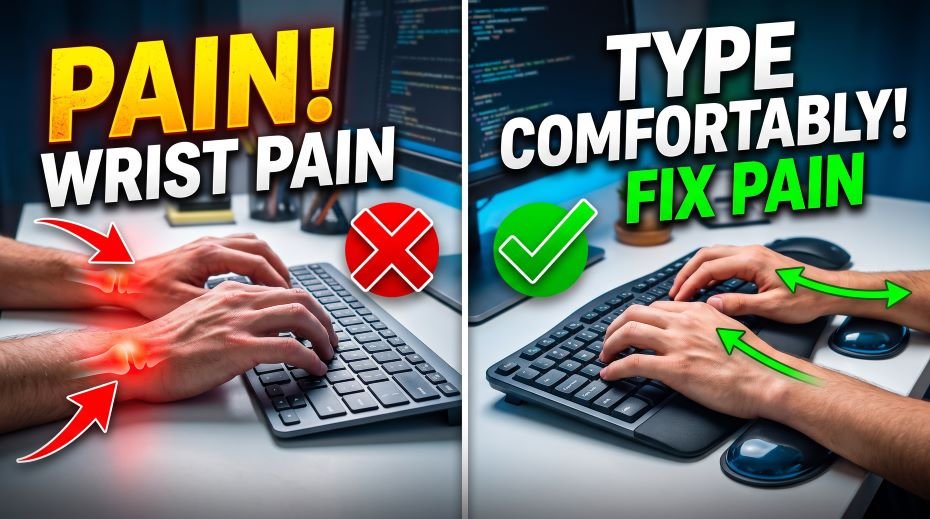
| What causes it (typing-specific) | Wrists resting on desk while typing – bends wrist downward, compressing carpal tunnel constantly |
| Typing fix (mild CTS) | Keep wrists neutral (not bent) while typing. Wrist should float above keyboard. Use wrist rest only during pauses, not while actively typing. |
| Medical treatment | Wrist splint at night. Anti-inflammatory medication. Corticosteroid injections. Surgery (severe cases only). |
| MUST see doctor if | Night tingling in hand, progressive weakness in grip, dropping objects – these require professional diagnosis |
CTS is frequently misdiagnosed as general wrist pain. The distinctive night-time tingling in specific fingers (not the whole hand) is the key differentiating symptom. If you have this, see a doctor – do not self-treat.
Condition 4: Tendinitis of the Wrist or Fingers
| Detail | Information |
| What it is | Inflammation of the tendons that flex and extend your fingers |
| Symptoms | Aching or burning pain along the back or palm side of the hand/wrist. Pain worsens when you flex or extend the affected finger. |
| Most common tendinitis | Extensor tendinitis (top of forearm/wrist) from lifting fingers too forcefully between keystrokes |
| Typing cause | Excessive keystroke force (pressing keys too hard), high-tension finger lifting between strokes |
| Fix – technique | Type with LIGHT touch – keys require very little force. Relax fingers between strokes rather than lifting high. |
| Self-treatment | Rest 3–5 days. Ice 15 min × 3 times daily. Anti-inflammatory gel. Gradual return with lighter keystroke force. |
| See doctor if | Pain persists beyond 2 weeks or you feel a crunching/grating sensation when moving the tendon |
Condition 5: De Quervain’s Tenosynovitis (Thumb Tendon Inflammation)
| Detail | Information |
| What it is | Inflammation of tendons on the thumb side of the wrist (abductor pollicis longus and extensor pollicis brevis) |
| Symptoms | Pain and swelling at the base of thumb/wrist. Pain when making a fist, grasping objects, or pressing the Spacebar. |
| Typing cause | Repetitive Spacebar striking with the thumb + awkward thumb angle on certain keyboard sizes |
| Test (Finkelstein’s) | Tuck thumb into palm, fold fingers over thumb, tilt wrist toward little finger. If this causes sharp pain – likely De Quervain’s. |
| Fix – typing | Alternate Spacebar thumb. Use lighter Spacebar pressure. Consider ergonomic keyboard with split Spacebar. |
| See doctor | De Quervain’s typically requires medical treatment – physiotherapy, splinting, or corticosteroid injection. Self-treatment is insufficient for most cases. |
De Quervain’s is less well-known than Carpal Tunnel Syndrome but is specifically associated with heavy spacebar use. If the Finkelstein’s test (described above) causes pain, consult a doctor rather than attempting self-treatment.
Root Causes of Typing Pain: What You Are Doing Wrong
| # | Wrong Habit | What Damage It Causes | The Fix |
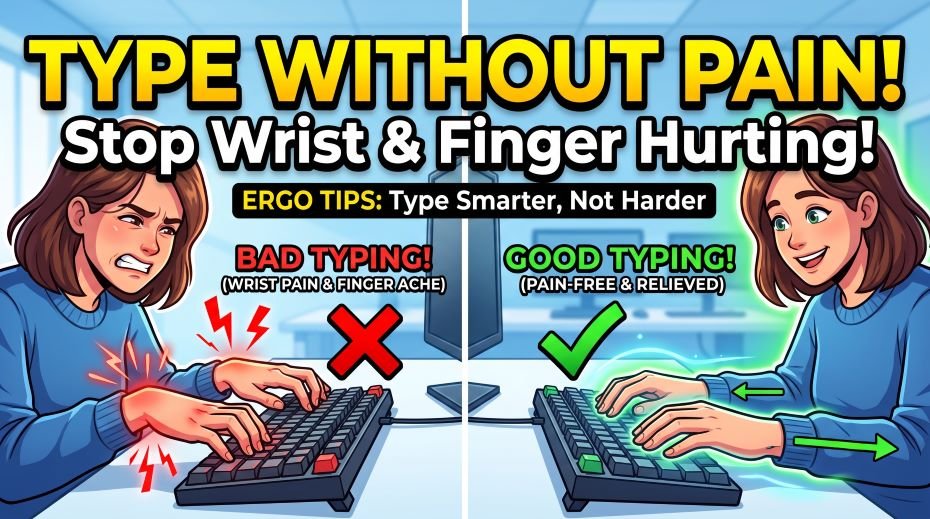
| 1 | Wrists resting on desk while typing | Bends wrist downward → compresses carpal tunnel → CTS, wrist pain | Keep wrists floating above keyboard while typing. Rest only during pauses. |
| 2 | Pressing keys too hard | Excessive force damages tendons → tendinitis, fatigue, pain | Keys need only light touch – approximately 45 grams force maximum. Relax your fingers. |
| 3 | Lifting fingers high between keystrokes | Constant extensor muscle tension → extensor tendinitis, forearm pain | Keep fingers hovering just above keys – minimal lift between strokes. |
| 4 | Keyboard too high or too low | Forces wrists into extreme bend → compression, nerve damage | Elbows at 90° angle when hands on keyboard. Keyboard at elbow height. |
| 5 | Elbows resting on hard chair arms while typing | Compresses ulnar nerve → tingling in ring and little finger | Adjust chair arms so elbows float, not rest while typing. |
| 6 | No breaks during long sessions | No recovery time for tendons → cumulative fatigue builds into RSI | 20-20 rule: break every 20 minutes for 2 minutes. Shake hands, stretch. |
| 7 | Cold hands / cold environment | Cold reduces circulation → muscles stiffen → higher injury risk | Warm hands before practice. Keep room at comfortable temperature. |
| 8 | Sudden large increase in typing time | Tendons and muscles adapt slower than skill – overuse injury from volume spike | Increase daily practice by maximum 5–10 min per week. Build gradually. |
| 9 | Typing on laptop on a lap or bed | Wrists in extreme extension or flexion → compresses all vulnerable structures | Always type on a flat desk with proper height. Laptop on lap = pain guarantee. |
| 10 | Tense shoulders while typing | Shoulder tension transfers to neck and arms → referred pain in forearms | Shoulders relaxed and down. Not hunched. Check every 10 minutes. |
Causes 1 (wrists resting on desk) and 8 (sudden practice increase) account for the majority of typing pain cases in government exam aspirants who are new to intensive daily practice.
The Perfect Typing Position: Complete Ergonomic Setup Guide
Most typing pain is caused by poor posture and incorrect workstation setup. Here is the correct position for every part of your body:
Body Position – Head to Fingertip
| Body Part | Correct Position | Common Mistake |
| Head and neck | Head level, not tilted forward. Eyes looking slightly down to screen (15° below eye level). | Head pushed forward toward screen – creates neck and shoulder tension |
| Shoulders | Relaxed, pulled back slightly, not hunched forward or raised toward ears. | Raised or hunched shoulders – creates upper back pain and arm tension |
| Upper arms | Hanging naturally at sides – not stretched forward or pulled back. | Arms reaching too far forward to keyboard placed too far away |
| Elbows | Bent at 90–110 degrees. Elbows close to body – not winged out. | Elbows bent more than 90° (keyboard too high) or less (too low) |
| Wrists | Neutral – straight line from forearm through hand. NOT bent up, down, or sideways. | Wrists bent downward to rest on desk surface while typing |
| Fingers | Gently curved, hovering just above keys. Press with light touch. | Fingers raised high above keys, then hammered down with force |
| Back | Straight or slightly reclined. Lower back supported by chair lumbar support. | Slouched forward – creates back pain and forward head posture |
| Seat | Thighs parallel to floor or slightly declined. Both feet flat on floor. | Chair too high or low – misaligns entire kinetic chain |
Correct typing posture cannot be assumed once and forgotten. Check your posture every 10–15 minutes. Most people unconsciously drift into poor positions as they become absorbed in their typing practice.
Workstation Setup Measurements
| Element | Correct Measurement | How to Check |
| Keyboard height | At elbow height – same level as forearms when hanging naturally | Sit normally → measure forearm height → keyboard should match |
| Monitor distance | 50–70 cm from eyes (arm’s length) | Extend arm – fingertips should just touch screen |
| Monitor height | Top of screen at or just below eye level | Look straight ahead – should see top 1/3 of screen |
| Chair height | Feet flat on floor, thighs parallel to ground | Adjust until feet are fully flat, no dangling |
| Keyboard tilt | Flat or slightly negative tilt (back higher than front) | Most keyboard legs create positive tilt – fold them down |
| Mouse position | Same height as keyboard, close to keyboard side | Reaching far for mouse strains shoulder |
The most overlooked setting is keyboard tilt. Most people use keyboards with the legs raised (positive tilt – front lower, back higher). This forces the wrists into extension. Fold the legs DOWN for a flatter or negative-tilt position that is far more comfortable.
Immediate Fixes for Typing Pain: What to Do Right Now (How to Type Without Hurting Yourself? Finger and Wrist Pain)
If you are currently experiencing typing-related pain, here are the immediate steps to take:
Step 1: Stop and Rest (Non-Negotiable)
If you have pain that has been present for more than 2–3 days – stop typing practice for 3–5 days. This feels counterproductive when you have a government exam approaching, but continuing to type through established pain converts mild RSI into chronic RSI that can sideline you for months. Three days of rest now prevents three months of injury later.
Step 2: Ice vs Heat – Which to Use
| Treatment | When to Use | How to Apply |
| Ice / Cold pack | First 48–72 hours after pain starts (acute phase) | Wrap ice in cloth – never directly on skin. 15 min on, 45 min off. 3× daily. |
| Heat / Warm water | After 72 hours, for chronic stiffness and tightness | Warm (not hot) water soak for 10–15 min. Improves circulation and flexibility. |
| Anti-inflammatory gel | Mild-moderate pain. Diclofenac gel (Voltaren) commonly used. | Apply to painful area 2–3× daily. Consult pharmacist for correct product. |
| Compression | Wrist swelling or post-activity support | Wrist compression bandage – not too tight. Available at pharmacies. |
Never apply ice directly to skin. Never take oral anti-inflammatory medication without consulting a doctor if you have stomach, kidney, or heart conditions. Topical gel (Diclofenac gel) is generally safer for occasional use but consult a pharmacist.
Typing Stretches and Exercises: Daily Routine for Pain Prevention
These stretches should be done BEFORE and AFTER every typing session. They take 5–7 minutes total and dramatically reduce injury risk:
Before Typing – Warm-Up Stretches (3 minutes)
- Wrist circles: Rotate both wrists clockwise 10 times, then counterclockwise 10 times. Feel the full range of motion. Do this slowly.
- Finger fans: Spread all fingers as wide apart as possible, hold 3 seconds. Close into a gentle fist, hold 3 seconds. Repeat 10 times each hand.
- Prayer stretch: Press palms together in front of chest (prayer position). Hold 15 seconds. Lower hands toward waist while keeping palms together to increase stretch. Stretches wrist flexors.
- Reverse prayer: Press backs of hands together, fingers pointing downward. Hold 15 seconds. Stretches wrist extensors.
- Shoulder rolls: Roll shoulders backward 5 times, then forward 5 times. This releases shoulder tension that travels down to the hands.
During Typing – 20-Minute Break Routine (2 minutes)
- Hand shake: Shake both hands loosely for 15 seconds – like shaking water off your fingers. Restores circulation.
- Finger extension: Extend one hand, palm up. With the other hand, gently pull fingers back toward your body. Hold 10 seconds. Switch hands.
- Wrist flex/extend: Extend one arm forward, palm down. With other hand, gently press the top of the hand downward (wrist flexion). Hold 10 seconds. Then pull fingers back (wrist extension). Hold 10 seconds. Switch.
- Thumb circles: Make slow circles with each thumb – 10 in each direction. Prevents De Quervain’s tenosynovitis.
After Typing – Cool-Down Stretches (2 minutes)
- Warm water soak: After your session (especially if hands feel tight), soak both hands in warm water for 5 minutes. This is the single most effective post-typing recovery technique.
- Forearm stretch: Extend arm, palm up. Gently press fingers downward with other hand until you feel the stretch along the underside of the forearm. Hold 20 seconds. Switch.
- Knuckle crack (gently): If you experience pressure in joints, gently pull each finger to create gentle traction. Do not force. This relieves joint pressure, not the cartilage-damaging ‘crack’ of forced cracking.
| Stretch / Exercise | Duration | Targets |
| Wrist circles | 30 sec × 2 | Wrist joint mobility and circulation |
| Finger fans | 30 sec × 2 | Extensor tendons, finger joint flexibility |
| Prayer stretch | 15 sec × 3 | Wrist flexors – most compressed in typing |
| Reverse prayer | 15 sec × 3 | Wrist extensors – tensed while lifting fingers |
| Hand shake | 15 sec every 20 min | Circulation restoration – prevents cumulative fatigue |
| Forearm stretch | 20 sec × 2 each side | Flexor/extensor forearm muscles |
| Warm water soak | 5 min post-session | Overall hand recovery – best single recovery tool |
These stretches are preventive – most effective when done before pain starts. Do not stretch into pain. Mild discomfort in tight muscles is acceptable; sharp or stabbing pain means stop immediately.
Safe Practice Volume: How Much Is Too Much?
One of the most common causes of typing pain among government exam aspirants is the sudden jump from zero practice to 60+ minutes daily. Tendons and muscles adapt to new loads much more slowly than skills improve – the result is overuse injury. Here is a safe ramp-up schedule:
| Week | Daily Practice Time | Maximum Session Length | Notes |
| Week 1 | 15–20 minutes | 10 min continuous max | Break after every 10 min. Body adapting to new physical demand. |
| Week 2 | 20–25 minutes | 15 min continuous max | Mandatory stretching before and after. Watch for fatigue signs. |
| Week 3 | 25–30 minutes | 20 min continuous max | Add warm-up routine. Break every 20 min for 2 min. |
| Week 4 | 30 minutes | 25 min continuous | Full stretching routine established. 20-20 break rule. |
| Week 5+ | 30–40 minutes | 30 min continuous | Government exam standard. Maintain breaks. Never skip stretches. |
If any week produces pain that lasts more than 24 hours, drop back to the previous week’s volume and maintain for an additional week before progressing. Tendons do not heal at the same rate as muscles – be patient.
Equipment That Helps Prevent Typing Pain
| Equipment | How It Helps | Cost (India) | Priority |
| Wrist rest (gel) | Supports wrists during PAUSES (not while typing). Reduces hard surface pressure. | Rs. 200–800 | High |
| Ergonomic keyboard (split) | Separates hands into natural position – reduces ulnar deviation | Rs. 3,000–15,000 | Medium |
| Mechanical keyboard (light switches) | Low actuation force – less keystroke pressure needed | Rs. 1,500–8,000 | Medium |
| Laptop stand | Raises screen to correct eye height, reduces neck strain | Rs. 500–2,500 | High (laptop users) |
| External keyboard for laptop | Allows separate keyboard at correct height when laptop on stand | Rs. 500–3,000 | High (laptop users) |
| Chair with lumbar support | Prevents slouching that leads to forward head and shoulder tension | Rs. 3,000–15,000 | High |
| Wrist splint (night) | Keeps wrist neutral during sleep – helps CTS recovery | Rs. 300–1,200 | High (CTS sufferers) |
| Compression gloves | Mild compression aids circulation – helpful for cold environments | Rs. 400–1,500 | Low-medium |
Government exam typing tests are conducted on standard keyboards at NIELIT and other centers – your exam center keyboard will be a standard membrane keyboard. Practice primarily on a similar standard keyboard so your technique matches what you will use on exam day.
When to See a Doctor: Clear Warning Signs
Most early typing pain can be managed with rest, technique correction, and stretching. But these symptoms require prompt medical attention:
| ! | Warning Sign | Why It Is Serious |
| 🔴 | Tingling or numbness in fingers, especially at night | May indicate carpal tunnel syndrome or nerve compression – requires diagnosis |
| 🔴 | Pain that does not improve after 2 weeks of rest | Chronic injury may need physiotherapy or medical intervention |
| 🔴 | Weakness in grip – dropping objects | Nerve damage or severe RSI – needs immediate medical evaluation |
| 🔴 | Sharp, stabbing pain during typing | Acute injury – stop immediately and seek medical attention |
| 🔴 | Swelling, heat, or redness in wrist or hand | Signs of significant inflammation – needs diagnosis and treatment |
| 🔴 | Pain spreading up forearm, elbow, or into shoulder | Widespread nerve or muscle involvement – physiotherapy required |
| 🔴 | Pain waking you from sleep | Characteristic of carpal tunnel syndrome or severe RSI |
| 🔴 | One or more fingers locked / difficulty straightening | Trigger finger (stenosing tenosynovitis) – requires medical treatment |
In India, physiotherapists (physiotherapy clinics) and orthopedic specialists can diagnose and treat typing-related injuries. Many government hospitals offer orthopedic and physiotherapy departments. Do not delay if any of the above warning signs are present.
ALSO READ: How to Learn Hindi Typing Fast with Kruti Dev? (Feels Hard)
How to Continue Typing Practice While Managing Pain
If you have mild pain but cannot afford to stop practice entirely due to an upcoming exam, here is how to modify your practice safely:
- Reduce session length by 50%: If you normally practice 30 minutes, reduce to 15 minutes. If 20 minutes, reduce to 10 minutes. Take longer breaks between sessions.
- Mandatory stretch breaks every 10 minutes: Set a timer. After every 10 minutes of typing, stop for 2 minutes of stretching. Do not skip this.
- Reduce keystroke force: Consciously press keys more lightly. Most keyboards require less than 45 grams of force – far less than most people apply. A light touch reduces tendon stress significantly.
- Apply warm compress before practice: Warm hands improve circulation and reduce injury risk. Warm water soak or heat pack for 5 minutes before sitting at the keyboard.
- Apply cold after practice: Ice pack (wrapped in cloth) for 15 minutes after each session during the healing phase. Reduces inflammation.
- Stop immediately if pain worsens during practice: Pain that increases during a session is a clear stop signal. Pushing through worsening pain converts minor injury into serious one.
Resources: Typing Ergonomics and Pain Prevention
| Resource | Link / Details |
| RSI Wikipedia (Educational) | en.wikipedia.org/wiki/Repetitive_strain_injury |
| NIOSH Ergonomics (US Govt. guide) | cdc.gov/niosh/topics/ergonomics |
| Typing Practice (posture-focused) | typingmasterpro.com |
| Physiotherapy India (directory) | Search ‘physiotherapist near me’ on Google Maps for local clinics |
| AIIMS OPD (Delhi) | aiims.edu |
For serious pain, always consult a qualified medical professional – orthopedic doctor or physiotherapist. Online resources are educational only and cannot substitute for clinical diagnosis.
FAQ:
Why do my fingers hurt after typing for 20 minutes?
Pain appearing after 20 minutes is most likely general typing fatigue – especially if you have recently started intensive practice for a government exam. Your tendons and muscles are adapting to a new level of activity. The fix: reduce session length to 15 minutes with a 5-minute break between, do the warm-up stretches before every session, and ensure your keystroke force is light (not pressing hard). If pain persists for more than 1 week despite these changes, see a doctor.
Can I develop Carpal Tunnel Syndrome from typing for a government exam?
Typing alone – especially at the moderate durations of government exam preparation (30–60 minutes daily) – is unlikely to cause Carpal Tunnel Syndrome in otherwise healthy individuals. CTS typically results from sustained poor wrist position combined with high-volume typing over months or years. However, if you already have CTS risk factors (pregnancy, diabetes, thyroid conditions, obesity, or pre-existing wrist issues), even moderate typing with poor technique can aggravate symptoms. Keep wrists neutral while typing and see a doctor if you experience night-time tingling.
My wrist hurts but I have an exam in 2 weeks – what should I do?
First: assess the severity. Mild soreness that disappears within an hour of stopping – you can continue with modified practice (shorter sessions, mandatory breaks, stretching). Pain that persists through the evening or overnight – reduce practice to absolute minimum (10 minutes daily with full stretching routine) and apply ice after each session. Pain that is constant, severe, or accompanied by numbness – stop typing practice entirely and see a doctor. Two weeks of rest will not cost you the exam. Ignoring serious injury and turning it chronic could cost you much more.
Is it normal for wrists to hurt when I first start typing practice?
Mild soreness in the first 1–2 weeks of starting intensive typing practice is relatively common – similar to muscle soreness when starting any new physical activity. This is your tendons and muscles adapting to a new demand. It should be mild (not severe), should not include numbness or tingling, and should gradually reduce over 2–3 weeks as your body adapts. To minimize it: start with shorter sessions (15 minutes), do warm-up stretches before every session, and ensure your wrists are in a neutral (not bent) position while typing.
What is the best wrist support for typing?
There is an important distinction: a wrist rest supports your wrists during pauses (when your hands are resting on the desk but not actively typing). During active typing, your wrists should be floating in a neutral position – not resting on anything. A gel wrist rest is useful for between-sentence pauses. For active typing, the best support is proper posture and keyboard height that keeps your wrists naturally neutral without any external support. If you find yourself needing wrist support while actively typing, your keyboard is likely too high.
Conclusion: Pain is a Warning Signal – Listen to It Early
Typing-related pain is your body’s early warning system telling you that something in your technique, your setup, or your practice volume needs to change. The candidates who ignore these early signals – pushing through pain to meet a practice target – often find themselves dealing with conditions like chronic RSI or Carpal Tunnel Syndrome that force them to stop typing entirely for weeks or months.
The good news is that almost all typing-related pain caught early is completely reversible. The wrist that aches today after 30 minutes of practice can be the wrist that types confidently through a 10-minute government exam in 8 weeks – if you address the cause now rather than pushing past the warning.
Fix your technique. Set up your workstation correctly. Do the 5-minute stretch routine before and after every session. Increase your practice time gradually. Take breaks every 20 minutes. And if pain persists despite doing all of these things correctly – see a doctor. A physiotherapist can identify and treat the specific condition far more efficiently than any amount of self-treatment.
Practice smart at TypingMasterPro.com – with the right posture, the right breaks, and the right technique. Fast typing and pain-free typing are not opposites. Done correctly, they are the same thing.