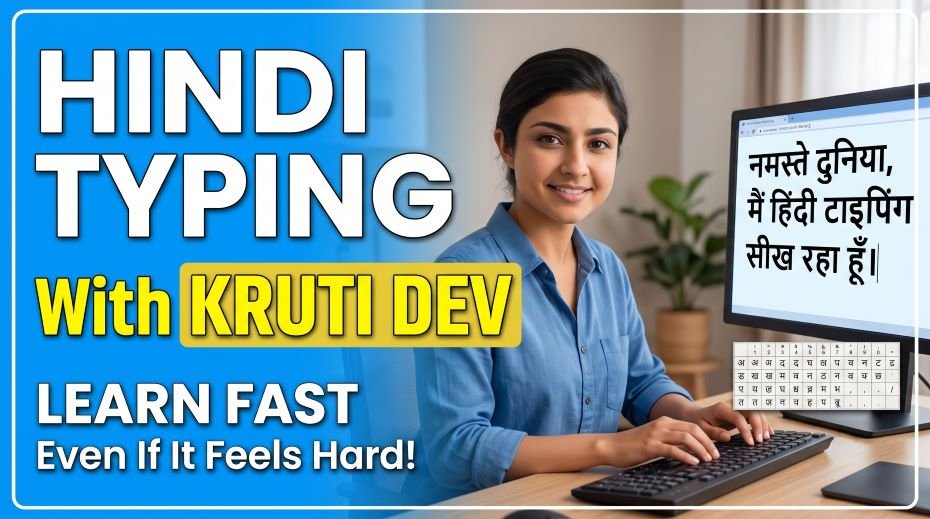
In this article we will discuss about How to Learn Hindi Typing Fast with Kruti Dev? (Even If It Feels Hard) and gives you the most complete systematic guide to learning Hindi Kruti Dev typing available. We explain why it is hard (and why that explanation actually helps), how your brain learns the layout, the exact zone-by-zone learning sequence that works, common mistakes that make it 3x harder than it needs to be, a 12-week practice plan with weekly targets, and every tool and resource you need.
You sit down at the keyboard. You know Hindi fluently – you have spoken, read, and written it all your life. You look at the Kruti Dev keyboard chart. And nothing makes sense. The keys seem random. There is no logic, no pattern, no connection between what you see on the chart and what your fingers want to do. After 20 minutes of confusion, you type three words correctly and make six errors. ‘Hindi typing is impossible,’ you think.
You are not wrong – and you are not alone. Hindi Kruti Dev typing is genuinely harder to learn than English QWERTY typing, and there are specific, well-understood reasons why. Understanding those reasons is the first step to overcoming them. Once you know why Kruti Dev feels impossible, you will also understand exactly what to do to make it learnable – and you will see that thousands of government exam qualifiers have walked this same path before you and come out the other side at 25, 30, 35 WPM.
Quick Facts: Hindi Kruti Dev Typing
| Parameter | Key Information |
| What is Kruti Dev? | A popular Hindi font and keyboard layout for typing Devanagari script using a standard keyboard |
| Which exams require Kruti Dev? | Rajasthan LDC, UP LDC, MP Patwari, Bihar LDC, Haryana Clerk, most state government typing tests |
| Speed required (Rajasthan LDC) | Minimum 25 WPM net speed in Hindi on Kruti Dev layout |
| Why is Kruti Dev hard? | Non-phonetic layout – no logical connection between key position and Hindi character sound |
| How long to learn (complete beginner)? | 10–16 weeks to reach 25 WPM with 30 min daily practice |
| Total characters to memorize | Approximately 52 main characters + 12 vowel signs (matras) + half-characters + conjuncts |
| Font required | Kruti Dev 010 – must be installed on Windows before practice |
| Alternative to Kruti Dev | Mangal/Unicode (used in SSC, Delhi govt) – different layout, not accepted in most state exams |
| Most common mistake | Trying to practice Mangal/Unicode when exam requires Kruti Dev – completely different skill |
Always confirm which Hindi typing layout your specific exam requires BEFORE starting practice. Kruti Dev (Remington layout) and Mangal/Unicode (Inscript or Remington Gail) are completely different systems. Practicing the wrong one wastes weeks.
Why Kruti Dev Feels Impossible: The Real Reason
The difficulty of Kruti Dev typing is not a myth and it is not in your head. It is genuinely harder than English QWERTY typing, and here is precisely why:
Reason 1: The Layout Is Non-Phonetic
English QWERTY, while not perfectly phonetic, has a logic that English speakers intuitively recognize. The letters Q, W, E, R, T are on the top row – even a non-typist has seen this layout on phones and computers for years. The visual memory is partially pre-formed before you even start typing lessons.
Kruti Dev has no such pre-formed familiarity. The layout was developed from the traditional Hindi typewriter keyboard – which mapped physical type bars in a way optimized for mechanical typewriter design, not for intuitive learning. There is no phonetic logic, no visual pattern, and no natural connection between the sound of a Hindi character and where your finger finds it on the keyboard. Every character must be individually memorized from scratch.
Reason 2: The Character Set Is Larger
| Feature | English QWERTY | Hindi Kruti Dev |
| Basic characters | 26 letters (A-Z) | ~36 consonants + 16 vowels = 52+ characters |
| Vowel markers | Vowels are full letters | 12 matras (vowel signs) – separate keys from vowel letters |
| Modified characters | Capital letters via Shift only | Half-characters, conjuncts, nukta characters – dozens of combinations |
| Special combinations | Minimal – mostly Shift+key | Many characters require 2-3 keystrokes to produce one Devanagari character |
| Keys needed to type | 26 base + Shift = 52 combinations | ~75+ unique character positions across keyboard |
The larger Devanagari character set means you have significantly more position-character mappings to memorize than in English – and each one must be independently encoded in muscle memory with no phonetic shortcut.
Reason 3: Matras Are Typed Before and After – Visual vs Logical Order
One of the most disorienting aspects of Kruti Dev typing is the matra system. In Devanagari Devanagari script, vowel signs (matras) appear visually attached to consonants – sometimes before, sometimes after, sometimes above, sometimes below. But in Kruti Dev typing, the typing order follows a specific logical sequence that often differs from the visual reading order.
For example, the word ‘कि’ (ki) – the consonant ‘क’ with the ‘इ’ matra – requires you to type the matra BEFORE the consonant in Kruti Dev, even though the matra visually appears after it. This counter-intuitive typing order is one of the biggest sources of confusion for beginners and causes systematic errors until the correct typing sequence is fully memorized.
Reason 4: Half-Characters (Aadha Akshar) Require Key Combinations
In Hindi, half-characters (halant/virama form) appear constantly in written text. Words like ‘क्या’, ‘प्रिय’, ‘सत्य’, ‘विद्यार्थी’ all contain half-characters. In Kruti Dev, these require pressing a specific key to produce the halant symbol, which then connects with the next character to create the half-character visually.
Until the half-character keystroke sequences are memorized, typing any word containing them requires a conscious pause – destroying typing rhythm and capping speed. There are dozens of common half-characters in everyday Hindi text, and each requires dedicated drilling to automate.
How Your Brain Learns Kruti Dev: The Process You Must Trust
Kruti Dev is a procedural memory skill – stored in the same neural systems as cycling, playing an instrument, or typing English. The key insight about procedural memory is that it cannot be learned intellectually. You cannot memorize Kruti Dev by reading the key chart and expecting your fingers to know it. The knowledge must be encoded through physical repetition – and that takes time that cannot be compressed beyond a biological minimum.
The 4 Stages of Kruti Dev Learning
| Stage | Typical Timeline | What It Feels Like | What Is Happening in Your Brain |
| Confusion | Weeks 1–2 | Impossible. Random. No progress visible. | Brain building initial character-position associations. Slow and effortful – but essential. |
| Recognition | Weeks 3–4 | I remember some characters without the chart. | Frequently used characters beginning to encode in procedural memory. |
| Recall | Weeks 5–8 | Most characters come without thinking. Speed building. | Motor programs for common characters firing automatically. Less conscious effort needed. |
| Automation | Weeks 9–16 | Typing feels natural. Eyes on screen. Rhythm developing. | Motor programs for full character set operating automatically. Speed and accuracy both improving. |
CRITICAL: The Confusion stage (Weeks 1–2) is where 70% of learners quit. They interpret the confusion as evidence that they cannot learn Kruti Dev. In reality, the confusion is the learning. Every brain that has reached Automation passed through Confusion first – there are no shortcuts.
Zone-by-Zone Learning System: The Right Way to Learn Kruti Dev
The biggest mistake beginners make is trying to learn the entire Kruti Dev keyboard at once. This overwhelms working memory and makes everything feel equally unfamiliar. The zone-by-zone system breaks the keyboard into manageable sections and masters each one completely before moving to the next.
The 6 Learning Zones of Kruti Dev
| Zone | Timeline | Characters to Learn | Practice Focus |
| Zone 1 | Week 1–2 | Home row characters only – the 8 keys your fingers rest on (ASDF JKL;) | Type only home row characters until all 8 positions are automatic without looking |
| Zone 2 | Week 3–4 | Top row characters (QWERT YUIOP) – most common vowels and consonants here | Home row + top row combined. Short words using only these characters. |
| Zone 3 | Week 5–6 | Bottom row characters (ZXCVB NM,.) – less common consonants | Full keyboard practice. Simple sentences. Still no matras. |
| Zone 4 | Week 7–8 | Matras (vowel signs) – aa, i, ee, u, oo, e, ai, o, au, an, ah, am | Drill each matra separately. One matra per day. Add to words from Zone 1-3. |
| Zone 5 | Week 9–10 | Half-characters (aadha akshar) – the 15 most common half-chars in Hindi text | Half-char + consonant combinations. Common words with half-chars. |
| Zone 6 | Week 11–12 | Number row + special characters + conjuncts (ksha, gya, tra, shra) | Full passage practice. Government-style Hindi text. Mock tests begin. |
The zone system feels slow in Weeks 1–3 because you are deliberately limiting your practice to a small character set. This is correct – you are building deep, clean motor memory for each zone rather than shallow, confused memory for all zones at once.
12-Week Kruti Dev Learning Plan: Week by Week
Weeks 1–2: Home Row Foundation
Everything in Kruti Dev learning starts here. Do not move forward until the home row is completely automatic.
- Install Kruti Dev 010 font: Download and install Kruti Dev 010 font on Windows. Set your keyboard input to Hindi (Kruti Dev/Remington layout). Test that characters appear correctly.
- Print the Kruti Dev key chart: Stick it at eye level – at the TOP of your monitor, not next to the keyboard. You want your eyes going UP to the chart, not DOWN to the keyboard.
- Home row drill: Type the 8 home row Hindi characters in sequence: आ, स, ए, र, ज, क, ल, ; (these are the Kruti Dev mappings for A, S, D, F, J, K, L, ;). Repeat 50 times daily.
- Simple home-row words: Find 10 common Hindi words that use ONLY home row characters. Type each word 20 times daily.
- Eyes rule: From Day 1, eyes look at the chart (at eye level) – NOT the keyboard. This builds the right habit immediately.
- Week 1–2 target: Type all 8 home row characters without consulting the chart. Type 5 home-row words without errors.
Weeks 3–4: Top Row Characters
- Add top row gradually: Add 2–3 top row characters per day. Practice them with the home row characters in short word combinations.
- Common vowels first: The top row contains several important vowels and vowel forms. Prioritize the most commonly used ones based on frequency in Hindi text.
- Word practice: Find simple Hindi words that use home row + top row characters only. Build a list of 20 such words and practice them daily.
- Week 3–4 target: All home row + top row characters without chart reference. Type short sentences (5–8 words) using these characters.
Weeks 5–6: Bottom Row and Full Keyboard
- Bottom row characters: Add bottom row characters systematically – 2–3 per day, same method as top row.
- Full keyboard words: Begin typing common Hindi words that use characters from all three rows. Common vocabulary like: वह, यह, और, से, के, का, की, को, पर, में, था, है, हैं
- First complete sentences: Begin typing short complete Hindi sentences (4–6 words) without matras. Accept slower speed – accuracy matters here.
- Week 5–6 target: All consonant characters across all rows accessible without chart. Can type basic sentences at 8–12 WPM.
Weeks 7–8: Matras – The Most Important Phase
This is the most critical and most difficult phase of Kruti Dev learning. Matras (vowel signs) appear in virtually every Hindi word, and most beginners struggle here. The key is to learn ONE matra completely before introducing the next.
| Matra | Hindi Name | Example Word | Day to Introduce |
| आ (aa) | आ की मात्रा | आम, काम, नाम, दाम | Day 1 of Week 7 |
| इ (i) | इ की मात्रा | किताब, दिल, मिला | Day 2 of Week 7 |
| ई (ee) | ई की मात्रा | नीला, गली, सीधा | Day 3 of Week 7 |
| उ (u) | उ की मात्रा | कुछ, सुना, गुणा | Day 4 of Week 7 |
| ऊ (oo) | ऊ की मात्रा | पूरा, भूल, धूप | Day 5 of Week 7 |
| ए (e) | ए की मात्रा | देश, खेल, मेला | Day 1 of Week 8 |
| ऐ (ai) | ऐ की मात्रा | पैसा, मैदान, बैठक | Day 2 of Week 8 |
| ओ (o) | ओ की मात्रा | लोग, बोल, खोल | Day 3 of Week 8 |
| औ (au) | औ की मात्रा | औरत, पौधा, मौसम | Day 4 of Week 8 |
| अं (an) | अनुस्वार | हंस, अंग, रंग | Day 5 of Week 8 |
For each new matra: spend the first 10 minutes of the session typing ONLY words with that single matra. Then mix with previously learned matras. Never introduce a new matra until the previous one is fully error-free.
Weeks 9–10: Half-Characters
Half-characters (aadhe akshar) are produced in Kruti Dev by pressing a specific key to create the halant (virama) which connects consonants. These appear in a huge percentage of everyday Hindi words and are essential for reaching government exam qualifying speed.
- Most common half-characters to master first: क् (k), ख् (kh), ग् (g), ज् (j), त् (t), न् (n), प् (p), र् (r), ल् (l), व् (v), स् (s), ह् (h), म् (m), ध् (dh), श् (sh)
- Daily half-char drill: Pick 3 half-characters per day. Type 30 words containing each one. By end of Week 10, all 15 common half-chars should be automatic.
- Common words with half-characters: विद्यार्थी, सत्य, क्या, प्रश्न, कार्य, धर्म, कर्म, स्कूल, स्वास्थ्य, प्रदेश, राज्य, पत्र
- Week 9–10 target: 15 most common half-characters without errors. Can type common Hindi words with half-chars at 12–16 WPM.
Weeks 11–12: Speed Building and Mock Tests
- Add number row: Hindi numerals and the number row in Kruti Dev. Practice dates, addresses, phone numbers in Hindi.
- Conjunct characters: क्ष (ksha), ज्ञ (gya), त्र (tra), श्र (shra) – the four main conjuncts. These appear frequently in formal Hindi text.
- Begin 5-minute timed tests: From Week 11, start timed tests. Begin with 5 minutes before building to 10 minutes.
- Government-style passages: Practice on formal Hindi passages – administrative language, government orders, scheme descriptions. This is the exact vocabulary in Rajasthan LDC and UP LDC typing tests.
- Week 11–12 target: 20–25 WPM with 93%+ accuracy on government-style passages. Ready for exam-standard 10-minute test.
Daily Practice Schedule: 30 Minutes That Build Kruti Dev
| Time Block | Duration | Activity | Tool |
| Block 1 (Weeks 1–6) | 10 minutes | Current zone review – type all characters learned so far without chart | Notebook or text editor |
| Block 2 (Weeks 1–6) | 10 minutes | New zone characters – introduce today’s 2–3 new characters with repetition | Text editor with Kruti Dev |
| Block 3 (Weeks 1–6) | 10 minutes | Word practice – type your word list using all characters learned so far | TypingMasterPro.com Hindi |
| Block 1 (Weeks 7–10) | 10 minutes | Matra/half-char drill – today’s specific matra or half-character in isolation | Text editor |
| Block 2 (Weeks 7–10) | 10 minutes | Full word practice incorporating today’s new element with previous ones | TypingMasterPro.com Hindi |
| Block 3 (Weeks 7–10) | 10 minutes | Sentence practice – type short Hindi sentences with all elements learned so far | TypingMasterpro.com or text editor |
| Block 1 (Weeks 11–12) | 10 minutes | Weak area review – characters or matras still causing errors | Targeted drill |
| Block 2 (Weeks 11–12) | 10 minutes | Timed passage practice – government-style Hindi text | TypingMasterPro.com |
| Block 3 (Weeks 11–12) | 10 minutes | Full mock test (5 or 10 minutes). Record WPM and accuracy. | TypingMasterPro.com |
Practice at a fixed time every day – preferably morning before other activities begin. Kruti Dev learning requires daily consistency. Missing 3+ days in the first 6 weeks significantly slows progress because early procedural memory is fragile.
7 Mistakes That Make Kruti Dev 3x Harder Than It Needs to Be
| # | Mistake | Why It Slows You Down | What to Do Instead |
| 1 | Trying to learn the entire keyboard in Week 1 | Overwhelms working memory. Nothing sticks. Everything feels equally foreign. | Zone system only. Master Zone 1 completely before touching Zone 2. |
| 2 | Looking at keyboard instead of eye-level chart | Builds keyboard-looking habit AND fails to build memory. Doubles the learning time. | Chart at eye level on monitor. Eyes up always – chart or screen, never keyboard. |
| 3 | Practicing on phone with Devanagari phonetic keyboard | Phone phonetic Hindi typing is completely different skill. Zero transfer to Kruti Dev. | All Kruti Dev practice must be on desktop/laptop with Kruti Dev font installed. |
| 4 | Introducing matras before consonants are fully memorized | Two unknown elements (consonant + matra) combine to create impossible combinations. | All consonants must be solid (Weeks 1–6) before any matra work begins. |
| 5 | Practicing Mangal/Unicode instead of Kruti Dev | Different layouts – skill does not transfer. Weeks of wrong practice. | Confirm exam requirement first. Install correct font. Practice only the correct layout. |
| 6 | Quitting in Weeks 1–2 because it feels impossible | Weeks 1–2 ARE the hardest – quitting here means missing all the improvement to come. | Commit to minimum 4 weeks before evaluating progress. The confusion phase ends. |
| 7 | Chasing speed before the layout is memorized | Typing fast with an unknown layout only reinforces errors and confusion. | No speed target until Week 7. Accuracy and layout memorization first, always. |
Mistake #6 – quitting in Weeks 1–2 – is responsible for the majority of failed Kruti Dev learning attempts. These two weeks feel like evidence of impossibility but are actually evidence of active learning. The confusion IS the learning.
Kruti Dev vs Mangal vs Inscript: Which One Do You Actually Need?
One of the most common sources of confusion – and wasted practice time – is not knowing which Hindi typing system your exam requires. Here is the complete comparison:
| Feature | Kruti Dev (Remington) | Mangal (Inscript) | Remington Gail |
| Font used | Kruti Dev 010 (non-Unicode) | Mangal (Unicode) | Unicode – Mangal or other |
| Key layout | Traditional typewriter (Remington) – non-phonetic | Phonetically organized (somewhat) | Modified Remington – slightly different from Kruti Dev |
| Exams that use it | Rajasthan LDC, MP Patwari, UP LDC, Bihar LDC, Haryana Clerk | Delhi DSSSB, some SSC posts, Central govt (CPCT) | Some state exams – check notification |
| Difficulty level | Hardest – non-phonetic | Medium – partially phonetic | Hard – similar to Kruti Dev |
| Transfer between layouts | Almost no transfer to Mangal/Inscript | Almost no transfer to Kruti Dev | Partial transfer to/from Kruti Dev |
| How to install | Download Kruti Dev 010 font + set Windows input to Hindi | Built into Windows – enable Hindi Inscript keyboard | Install Remington Gail keyboard layout for Windows |
The most important decision you make before starting Hindi typing practice: confirm from your official exam notification EXACTLY which font and layout is required. One wrong assumption means weeks of practice in the wrong system.

Kruti Dev Home Row: Your Foundation (Learn This First)
The home row in Kruti Dev is your absolute starting point. These 8 character positions must become completely automatic before you proceed to any other zone. Here is what each home row key produces in Kruti Dev:
| Key (Physical) | A | S | D | F | G (optional) |
| Kruti Dev Character | आ / ा | स | ए / े | र | ज |
| Key (Physical) | H | J | K | L | ; |
| Kruti Dev Character | ह | क | त | ल | ड |
These mappings are for Kruti Dev 010 Remington (traditional typewriter) layout – the most common layout for state government exams in India. Verify against the specific Kruti Dev chart for your version. Minor variations exist between Kruti Dev versions.
Home Row Practice Words (Use Only These Characters)
Practice these words using ONLY home row keys – no other characters yet:
- राज, काल, दाल, ताल, हाल, जाल, साल, लाल (words using आ matra – add matra in Week 7)
- क्रम, तरल, जल, कल, तल, सर, हर (consonant-only words using home row)
- स्वर, स्तर, हस्त, अलस, जल, तल (combinations of home row consonants)
Type each word 20 times at slow pace before moving to the next. No timer. No speed target. Accuracy only.
12-Week Progress Tracker: What to Measure and When
| Week | Milestone to Check | WPM Target (if tested) | Accuracy Target |
| Week 2 | Home row characters typed without chart – all 8 | No speed target yet | 98%+ on home row words |
| Week 4 | Top row characters all accessible without chart | 4–6 WPM on short sentences | 90%+ on simple sentences |
| Week 6 | All consonant characters accessible without chart | 7–10 WPM on basic passages | 88%+ on basic passages |
| Week 8 | 10 matras introduced and practiced | 10–14 WPM with matras | 90%+ on matra words |
| Week 10 | 15 most common half-chars solid | 14–18 WPM with half-chars | 90%+ on half-char words |
| Week 11 | Number row + conjuncts introduced | 18–22 WPM on full passages | 92%+ on formal passages |
| Week 12 | Full 10-min government-style test | 22–27 WPM (target: 25 WPM) | 95%+ to qualify at 25 WPM net |
If you are consistently behind these milestones by 2+ weeks, reduce the number of new characters introduced per week rather than rushing. Better to take 16 weeks and succeed than 12 weeks and plateau before qualifying speed.
Tools, Software and Resources for Kruti Dev Practice
| Resource | What It Provides | How to Access |
| Kruti Dev 010 Font | Required font for Kruti Dev typing – must be installed on Windows | Free download – search ‘Kruti Dev 010 font download’ |
| TypingMasterPro.com (Hindi) | Hindi Kruti Dev typing tests, government-style passages, WPM tracking | typingmasterpro.com |
| Kruti Dev Key Chart (printable) | Visual reference of all key mappings – print and stick at eye level | Search ‘Kruti Dev keyboard layout chart printable’ |
| Hindi Typing Tutor (software) | Dedicated offline Hindi typing tutor for Kruti Dev practice | Search ‘Hindi Typing Tutor Kruti Dev free download’ |
| Notepad / WordPad (Windows) | Basic typing practice with Kruti Dev font installed | Open Notepad → select Kruti Dev 010 font → type |
| RSMSSB official notification | Confirms exact Kruti Dev version and speed requirement for Rajasthan LDC | rsmssb.rajasthan.gov.in |
Kruti Dev 010 font is free to download. It must be installed BEFORE you start any practice – without the correct font installed, your keyboard will not produce Hindi characters correctly.
Official Exam Links: Confirm Your Requirements
| Exam | Hindi Layout Required | Official Website |
| Rajasthan LDC (RSMSSB) | Kruti Dev 010 (Remington layout) | rsmssb.rajasthan.gov.in |
| UP LDC (UPSSSC) | Remington (Kruti Dev type) layout | upsssc.gov.in |
| MP Patwari / LDC (MPPEB) | Kruti Dev (Remington) layout | peb.mp.gov.in |
| SSC CHSL (Hindi option) | Mangal font – Inscript OR Remington Gail | ssc.nic.in |
| Delhi DSSSB (Hindi) | Mangal/Unicode – confirm in notification | dsssb.delhi.gov.in |
Always download and read the official notification PDF for your specific exam. Hindi typing layout requirements are specified in the ‘Skill Test’ section of the notification. Never rely on coaching center assumptions about which layout is required.
ALSO READ: How to Stop Looking at the Keyboard While Typing?
FAQ:
Why does Kruti Dev feel impossible even after 2 weeks of practice?
Two weeks is still within the Confusion stage of Kruti Dev learning – where the brain is building initial associations but has not yet formed strong procedural memories. This is normal and does not mean you cannot learn it. Most learners begin seeing meaningful improvement in Weeks 3–4 when the home row characters start to feel automatic. The key is to continue the zone-by-zone method without rushing, and to resist the temptation to look at the keyboard instead of the eye-level chart. The feeling of impossibility in Weeks 1–2 is universal among Kruti Dev learners – and it passes.
Can I learn Kruti Dev typing in 30 days for the Rajasthan LDC exam?
Reaching 25 WPM in 30 days from zero is possible but extremely challenging – it requires 60+ minutes of daily deliberate practice and a very structured approach. The 12-week plan in this article is designed for 30 minutes daily, which produces more sustainable skill. If you have 60 days, the 12-week plan at 30 min/day is more reliable. If your exam is in 30 days and you are starting from scratch, focus: Weeks 1–2 home row → Week 3 top row → Week 4 bottom row + top 5 matras → Weeks 5–6 remaining matras + half-chars → Weeks 7–8 mock tests. This compressed schedule requires 45–60 minutes daily.
Is there any shortcut to learning Kruti Dev layout?
There is no shortcut to procedural memory formation – the brain requires physical repetition over time. However, there is a most efficient path: (1) zone-by-zone learning rather than full keyboard at once, (2) eye-level chart reference rather than keyboard glancing, (3) one matra per day rather than all matras at once, (4) dedicated half-character drilling, (5) daily practice without gaps. These are not shortcuts to the destination – they are the fastest route. People who try shortcuts (practicing on phone, using phonetic tools, memorizing the chart without physical drilling) consistently take longer than those who follow the systematic approach.
My Kruti Dev speed is 15 WPM – how do I reach 25 WPM for Rajasthan LDC?
At 15 WPM, you have completed the hardest part – the full character set is in your memory. Reaching 25 WPM from 15 WPM requires: (1) identifying which specific characters or matras are still causing hesitation (those are your bottlenecks), (2) drilling those specifically for 5 minutes at the start of every session, (3) practicing on government-style formal Hindi passages rather than casual text, (4) beginning timed 5-minute mock tests to build speed under pressure, and (5) maintaining 30+ minutes daily practice consistently. Most 15 WPM Kruti Dev typists reach 25 WPM within 4–6 additional weeks of targeted practice.
What is the difference between Kruti Dev and Remington keyboard layout?
‘Remington’ and ‘Kruti Dev’ are often used interchangeably in the context of Indian state government typing tests, which can cause confusion. The Remington layout refers to the traditional Hindi typewriter keyboard arrangement – the physical key-to-character mapping. Kruti Dev is a specific font family (Kruti Dev 010, Kruti Dev 011, etc.) that implements the Remington layout on modern computers. When an exam says ‘Remington layout’ or ‘Kruti Dev font’, they typically mean the same thing – the traditional non-Unicode Hindi typewriter keyboard mapping. Always verify by checking the official notification’s Skill Test section.
Conclusion: Hindi Typing Is Hard – But It Is Not Impossible
Kruti Dev Hindi typing is genuinely difficult. The non-phonetic layout, the large character set, the matra system, the half-characters – these are real obstacles that make the learning curve steeper than English typing. Anyone who tells you it is easy is either lying or has forgotten how hard the first four weeks were.
But difficult is not impossible. Thousands of government employees across Rajasthan, Uttar Pradesh, Madhya Pradesh, Bihar, and Haryana type Hindi fluently at 25, 30, 40 WPM – and every single one of them went through exactly the Confusion and Recognition stages you are currently in. Every one of them had a Week 1 that felt hopeless. Every one of them wanted to quit in Week 2.
The difference between those who qualified and those who did not is not talent. It is the decision to trust the process for 12 weeks – to follow the zone system, to place the chart at eye level, to drill one matra at a time, to practice every day without exception, and to accept that the impossibility you feel in Week 1 is a temporary state rather than a permanent truth.
Start your Kruti Dev practice today at TypingMasterPro.com. Begin with Zone 1 – the home row. Practice those 8 characters until they feel like old friends. Then move to Zone 2. One zone at a time, one matra at a time, one day at a time. The 25 WPM that qualifies you for your government job is already waiting at the end of this path – it is the path itself you need to commit to walking.