The Fast Fingers Typing – Online Typing Test (Free) is a straightforward, no-cost tool designed to help you measure and improve your typing speed from any browser. There is nothing to install, no account to create, and no feature hidden behind a subscription. You open the test, start typing, and get your result in under a minute. This page gives you full access to the tool along with a complete guide on how to use it, what your results mean, and how to make steady progress toward a higher WPM.
Note: Click on Link 1 to learn more about iframes, so you can understand how this typing tool currently works. A live page will open where you can try out this typing tool.
Link 1 – (https://typingmasterpro.com/fast-fingers-typing-online-typing-test-free/) click here and start typing.
Link 2 – (https://typingmasterpro.com/) Homepage
The Fast Fingers free online typing test is a straightforward, no-cost tool designed to help you measure and improve your typing speed from any browser. There is nothing to install, no account to create, and no feature hidden behind a subscription. You open the test, start typing, and get your result in under a minute. This page gives you full access to the tool along with a complete guide on how to use it, what your results mean, and how to make steady progress toward a higher WPM.
Fast Fingers is a browser-based typing speed test that measures your WPM (words per minute) and accuracy in real time. It is hosted on TypingMasterPro as a clean, lightweight tool that works on desktop, laptop, tablet, and mobile without any software installation.
The tool is built around simplicity. You are given a set of words to type and a timer. As you type, the tool tracks every keystroke, highlights errors instantly, and calculates your speed and accuracy the moment the test ends. The result is a clear, honest picture of where your typing stands right now.
What the Fast Fingers typing test gives you:
Running a test takes under two minutes from start to result. Here is the exact process:
A quick tip on test frequency: taking three to five tests per session with a short break between each gives better results than one long session. Your fingers warm up over the first couple of tests, which means your third and fourth attempts tend to be your most representative scores.
WPM is the headline figure. It tells you how many correct words you typed in one minute. One word is standardised as five characters including spaces, so the calculation is consistent regardless of whether you typed short words or long ones. This is the number most employers, exam boards, and typing benchmarks use when specifying a typing speed requirement.
Your accuracy score shows what fraction of your keystrokes were correct. A score of 95% or above is generally considered good for professional purposes. Below 90% suggests that errors are significantly reducing your effective typing speed and that slowing down to type more cleanly would actually result in a higher net WPM score.
Many typists make the mistake of chasing raw speed at the cost of accuracy. In practice this backfires. Every uncorrected error lowers your WPM score. Every error you do correct costs you extra keystrokes and breaks your rhythm. The fastest route to a higher WPM is almost always to slow down slightly, clean up your accuracy, and then let speed build naturally over consistent practice.
Not sure how your score compares? Here is a practical reference for different typing speed ranges:
| WPM | Skill Level | Typical User | Next Step |
| Under 30 | Beginner | New to touch typing | Learn home row, stop looking at keys |
| 30 to 45 | Basic | Casual typist | Daily 15-min practice, focus on accuracy |
| 45 to 60 | Intermediate | General office worker | Add punctuation practice |
| 60 to 80 | Proficient | Professional typist | Work on consistency and rare words |
| 80 to 100 | Advanced | Developer, journalist | Maintain and reduce error rate |
| 100+ | Expert | Transcriptionist | Sustain speed over longer durations |
For Indian government job exams, the minimum requirements are typically 35 WPM for SSC exams and 30 WPM for CPCT with 85% accuracy. Aiming for 50 to 55 WPM in practice gives you a reliable buffer on exam day when nerves and unfamiliar equipment can reduce your speed by 10 to 20 percent.
Improving your score on any typing test comes down to a small number of consistent habits. These are the ones that make the most difference:
Place your left index finger on F and your right index finger on J. Feel the small raised bumps on those keys. Rest your remaining fingers on A, S, D (left hand) and K, L, and the semicolon key (right hand). Thumbs rest on the space bar. Every key on a standard keyboard is within one or two finger movements of this position. Typing from home row is the foundation of all fast, accurate typing.
Touch typing means typing without looking at the keys. Every time you look down you interrupt the muscle memory loop that builds speed over time. Cover your hands with a cloth if necessary. The first week is uncomfortable. After two weeks it starts to feel natural. After a month most people wish they had started sooner.
Fifteen minutes of practice every day produces better results than an hour once a week. Typing speed is a physical skill that requires repetition to build into muscle memory. Frequency matters more than duration.
If your accuracy is below 95%, slowing down by 10 to 15 percent often results in a higher final WPM score because you are making fewer errors. Once your accuracy is consistently above 96%, let speed come naturally through continued practice rather than forcing it.
Most typists have a set of words they consistently fumble. Words with double letters, unusual letter combinations, or keys that require a stretch are common problem spots. Type those words deliberately in isolation, slowly and correctly, ten times each. Targeted repetition fixes specific weaknesses faster than general practice.
This tool is useful across a wide range of users. Here is who benefits most:
If you want to see measurable improvement within 30 days, follow this simple routine:
The entire routine takes 12 to 15 minutes. Doing this every day for 30 days produces a consistent, measurable improvement in both WPM and accuracy for most people. The key is showing up every day rather than doing marathon sessions occasionally.
| Feature | Fast Fingers (this tool) | 10FastFingers | Monkeytype | TypingClub |
| Free to Use | Yes | Yes | Yes | Partial |
| No Login Required | Yes | Yes | Yes | No |
| Real-Time WPM | Yes | Yes | Yes | Yes |
| Accuracy Score | Yes | Yes | Yes | Yes |
| Multiple Durations | Yes | Limited | Yes | Yes |
| Works on Mobile | Yes | Yes | Yes | Yes |
| No Interruptions | Yes | Ads present | Yes | Yes |
Yes. The tool on this page is completely free with no premium version, no signup, and no hidden charges.
The WPM figure uses the standard calculation: correct characters divided by five, divided by the elapsed time in minutes. This is the same formula used by most professional typing tests and employers.
Yes. The test works on mobile browsers. For accurate WPM measurement, a physical keyboard connected to your phone or tablet will give better results than a touchscreen keyboard.
Daily practice of 15 minutes produces better results than longer sessions done infrequently. Consistency is the main driver of improvement for typing speed.
Requirements vary by exam. SSC exams typically require 35 WPM in English. CPCT requires 30 WPM with 85% accuracy. Bank clerk posts commonly require 40 WPM. Check the specific exam notification for the exact requirement.
Results are displayed after each test. For long-term progress tracking, note your scores manually or take a screenshot after each session.
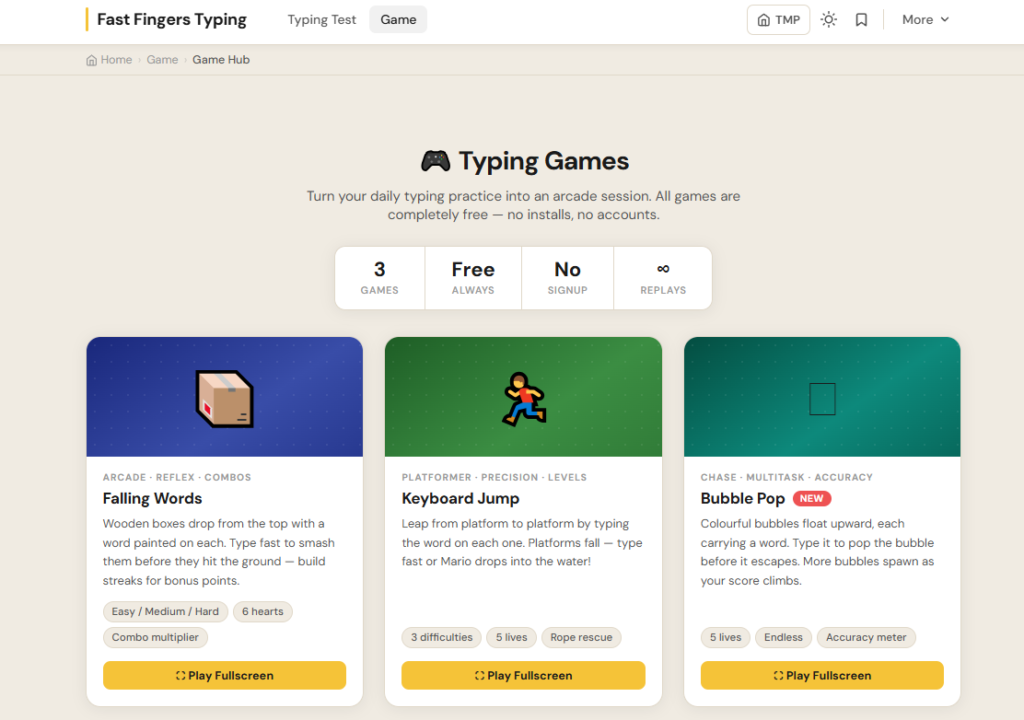
Both tools measure typing speed and accuracy. The Fast Fingers Typing tool on TypingMasterPro includes additional features such as typing games, a consistency score, sound profiles, and advanced practice modes. This tool is the simpler, faster version for quick WPM checks and daily practice without extra features.
Use the Fast Fingers typing test in the tool above to get your first result right now. Note your WPM and accuracy, then return daily for short practice sessions. The combination of regular testing and deliberate practice is the most reliable way to build lasting typing speed.
If you want more typing tools, explore the full list on typingmasterpro.com including Monkey Typing Test, KeyRush, TypeBlitz, and the dedicated Hindi Typing Test for Devanagari practice.