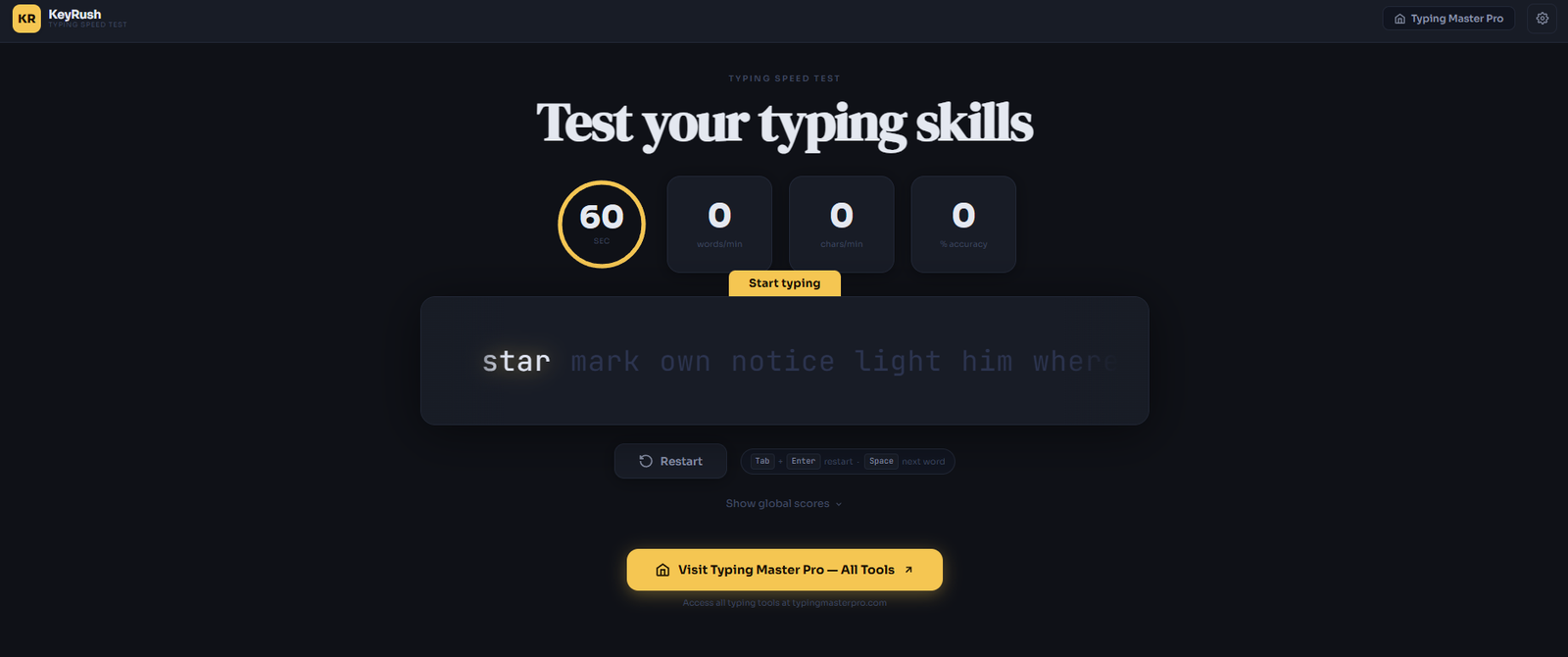
Key Rush is a free online typing practice tool that takes a smarter approach to improving your typing speed. Unlike standard typing tests that show you random word lists and measure how fast you type them, Key Rush analyses which specific keys cause you the most hesitation and builds your practice text around those exact weaknesses. The result is a more targeted, faster path to improvement. Available directly on this page through TypingMasterPro, you can use Key Rush with no account, no installation, and no cost.
Note: Click on Link 1 to learn more about iframes, so you can understand how this typing tool currently works. A live page will open where you can try out this typing tool.
Link 1 – (https://typingmasterpro.com/keyrush-typing-speed-test/) click here and start typing.
Link 2 – (https://typingmasterpro.com/) Homepage
Key Rush is an intelligent typing tutor that uses an adaptive algorithm to generate practice text based on your individual weak keys. Most free typing tests give everyone the same word list and measure how fast you get through it. Key Rush takes a different approach: it tracks which keys you press slowly or inaccurately and focuses your next round of practice specifically on words and letter combinations that contain those keys.
This method is borrowed from a well-established principle in skill learning called deliberate practice. Rather than spending equal time on keys you already type confidently, Key Rush concentrates your effort on the specific gaps that are actually holding your speed back. For most typists, this produces measurable improvement faster than generic word list practice.
What makes Key Rush stand out:
The Key Rush tool is loaded in the iframe above. Here is how to get started:
There is no fixed test duration in Key Rush. You practice for as long as you choose and the tool tracks your performance continuously. This makes it more of a training environment than a timed test, which is a key difference from other tools on this site.
Standard typing tests measure your overall WPM by averaging your speed across all keys. If you are fast on 24 of the 26 letters but slow on two, those two slow keys drag your average down every single test. Repeating the same general word list does not fix this because those two problem keys might appear infrequently, giving you little practice on exactly what you need.
Key Rush identifies your slow keys from your typing data and generates practice text that contains those letters far more frequently than they would appear in normal word lists. This gives you concentrated practice on the exact keys that are limiting your speed, rather than more practice on keys you already type without hesitation.
One important design choice in Key Rush is that even though it generates custom text, the words it creates follow the phonetic patterns of English. This means they look like real words even if they are not. This matters because your brain processes readable text differently from random letter strings. Readable words allow you to build the same muscle memory patterns you would use in real typing, while random strings train a different and less transferable skill.
Key Rush starts new users with a small set of the most frequently used letters in English. As your accuracy and speed on those letters reaches a satisfactory level, the tool introduces new letters into the mix. This gradual expansion means you always have a manageable challenge rather than being overwhelmed by the full keyboard from the first session. It mirrors the approach used in structured typing courses but applies it adaptively based on your actual performance rather than a fixed curriculum.
After each practice session, Key Rush displays a breakdown of your performance by individual key. Understanding how to read these statistics helps you use them productively.
This shows how long it takes you, on average, to press each key after the previous one. Keys with a high latency are your slow keys. Even small differences in per-key speed add up significantly over the course of typing a full paragraph or document.
This shows how often you press the wrong key when reaching for a specific letter. A key with low accuracy means your finger is landing in the wrong place, which is usually a sign that you are using the wrong finger to press that key. Checking your finger assignment for low-accuracy keys is a productive next step when you see this in your data.
After each session, identify the two or three keys with the worst speed or accuracy scores. Make a note of them. In your next session, pay conscious attention to those specific keys as you type. Do not try to fix every weak key at once. Focusing on two or three at a time is more effective and less mentally tiring.
If your WPM score has been stuck at the same level for several weeks despite regular practice on standard word lists, Key Rush is likely the right tool for the next phase. A plateau usually means you have exhausted the gains available from general practice and your remaining weak spots are specific enough to require targeted work. Key Rush’s per-key analysis identifies exactly where those weak spots are.
The progressive key introduction system makes Key Rush a strong starting point for beginners. Rather than facing the full keyboard on day one, you build keyboard coverage gradually as you become confident with each batch of letters. This reduces the feeling of being overwhelmed that many beginners experience with other typing tools.
Many people type every day for years without ever learning proper technique. They develop fast-ish typing using whatever finger habits they fell into naturally, with specific keys that have always felt awkward. Key Rush is particularly good at identifying and fixing exactly these kinds of longstanding weak spots.
For exam preparation, Key Rush works best as a supplementary tool alongside a timed WPM test. Use Key Rush to identify and fix your weak keys, then use a timed test such as the Monkey Typing Test or 10 Fast Fingers on TypingMasterPro to measure the improvement in your overall WPM.
| Tool | Best Use Case | Test Format | Adaptive Learning | Leaderboard |
| Key Rush | Fix weak keys, plateau-breaking | Open-ended practice | Yes | No |
| Monkey Typing Test | Daily WPM benchmark, themes | 60-second timed test | No | No |
| 10 Fast Fingers | Competition and global ranking | 60-second timed test | No | Yes |
| TypeWhiz | Quick daily speed check | 60-second timed test | No | No |
| Fast Fingers Typing | Games and engagement | Varied formats | No | No |
The most effective approach is to use Key Rush and a timed test together. Use Key Rush three to four times a week for targeted weak-key practice, and use a timed test like Monkey Typing or 10 Fast Fingers every day for your benchmark WPM score. The two tools complement each other directly.
For candidates preparing for SSC CGL, SSC CHSL, CPCT, RRB NTPC, or state government typing tests, Key Rush is a valuable part of a well-rounded preparation routine. Here is how to incorporate it effectively:
Use Key Rush for the first 10 minutes of every practice session to warm up and work on your weak keys. Then switch to a timed test on 10 Fast Fingers or Monkey Typing for 10 to 15 minutes of WPM practice. Finish with Custom Typing Test practice using actual exam passages.
The per-key statistics from Key Rush are particularly useful for exam candidates because they show exactly which letters are costing you speed. In government typing exams, a consistent 35 to 40 WPM is required. If you are stuck at 30 WPM, the issue is almost always two or three specific keys that cause hesitation throughout your typing. Key Rush identifies and fixes those keys directly.
Yes. Key Rush on TypingMasterPro is 100% free with no account required, no premium features, and no time limits on your practice sessions.
A standard typing test measures your overall WPM using a fixed word list. Key Rush analyses which specific keys you type slowly or inaccurately and generates practice text focused on those keys. It is a targeted training tool rather than a speed measurement tool.
The tool works in mobile browsers, but as with all typing practice tools, a physical keyboard gives the most useful training. Practice on a physical keyboard transfers directly to real-world typing tasks and exams in a way that touchscreen typing does not.
Ten to fifteen minutes of focused daily practice on Key Rush is enough to see consistent improvement over two to four weeks. Longer sessions have diminishing returns because fatigue reduces the quality of the muscle memory you are building.
Yes, and this is the recommended approach. Use Key Rush for targeted weak-key practice and combine it with a timed WPM test on Monkey Typing or 10 Fast Fingers to measure your overall speed improvement.
Key Rush generates phonetically readable pseudo-words rather than real words so that it can precisely control which letters appear in your practice text. This lets the tool focus on your specific weak keys. The words are designed to feel natural to type even though they may not be real English words.
It is very likely to help. A WPM plateau usually means the remaining gains are in specific keys rather than general practice. Key Rush’s per-key statistics will show you exactly which keys are limiting your speed, and the adaptive practice text will give you concentrated practice on those specific keys.
Use the Key Rush tool in the iframe above to begin your first session. After you finish, check your per-key statistics and note which two or three keys had the slowest response times. Return the next day for another focused session. Within two weeks of daily Key Rush practice, most users see a measurable improvement in their WPM on standard typing tests.
For a complete typing practice setup, combine Key Rush with the other tools on TypingMasterPro. Use Monkey Typing Test or 10 Fast Fingers for your daily WPM benchmark, Key Racer for additional practice variety, and the Hindi Typing Test if you also need Devanagari typing practice.