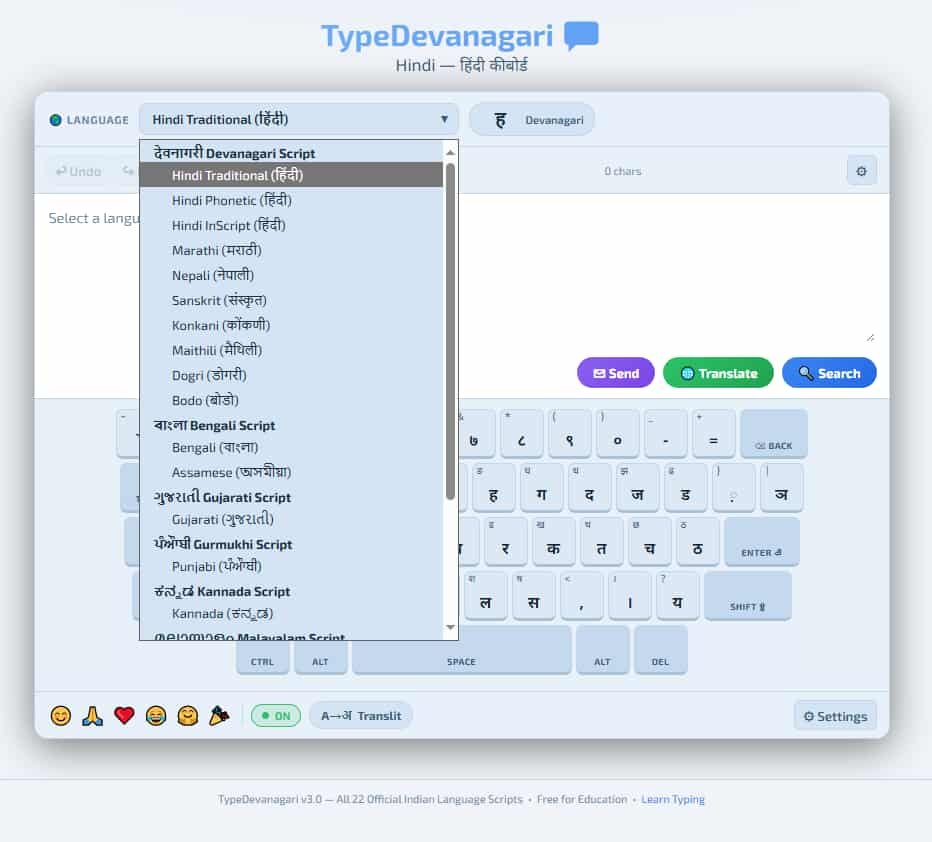
Online Hindi Typing Free Devanagari practice is one of the most searched topics among Indian students and job seekers preparing for government competitive exams. Whether you are preparing for SSC CHSL, CPCT, a High Court typing test, or a state government examination that requires Hindi typing, having access to a free, reliable, browser-based Hindi typing tool is essential. This tool, available directly on TypingMasterPro, lets you practice Hindi typing in Krutidev or Mangal layout, measure your WPM and accuracy in real time, and build the daily practice habit that government exam preparation demands – all at no cost and without any download or login.
Note: Click on Link 1 to learn more about iframes, so you can understand how this typing tool currently works. A live page will open where you can try out this typing tool.
Link 1 – (https://typingmasterpro.com/online-hindi-typing-free-devanagari/) click here and start typing.
Link 2 – (https://typingmasterpro.com/) Homepage
Online Hindi typing refers to typing in the Hindi language using the Devanagari script through a web browser, without installing any dedicated software. The tool on this page provides a complete Hindi typing practice and testing environment that runs entirely in your browser. It supports both the Krutidev and Mangal keyboard layouts – the two standards used in Indian government and educational settings – and gives you real-time WPM and accuracy feedback as you type.
Hindi typing is a distinct skill from English typing. Even highly proficient English typists start from zero when learning Hindi because the keyboard layout maps Hindi Devanagari characters to key positions that have no direct relationship to their English equivalents. Hindi typing speed must be built through its own dedicated practice, and this tool provides the environment to do exactly that.
This is the single most important question for anyone beginning Hindi typing practice. Choosing the wrong layout means weeks of practice that cannot be used for your target exam. Here is a complete breakdown:
Krutidev is a font-based Hindi typing system that was widely adopted before Unicode became the standard for digital Hindi text. It uses a phonetically influenced key mapping where many Hindi characters are placed on keys that resemble their English phonetic equivalent. For example, the key ‘k’ produces the Hindi character ‘क’ (ka). This phonetic logic makes Krutidev feel intuitive for beginners who already know the relationship between Hindi sounds and English letters.
The limitation of Krutidev is significant for modern use: it is not Unicode. Text typed in Krutidev only displays correctly on computers with the Krutidev font installed. It is incompatible with most modern software, websites, and mobile devices without additional font installation. As a result, many government exam authorities have moved away from Krutidev toward Mangal. Always verify that your specific exam accepts Krutidev before investing practice time in it.
Mangal is the Unicode-based Hindi typing layout built on the InScript standard developed by the Indian government. It is the current official standard for digital Hindi typing and is required by most central government examinations including SSC CHSL, CPCT, and the majority of High Court typing tests. Text typed in Mangal layout uses Unicode encoding, making it compatible with all modern software, websites, and operating systems without any font installation.
The Mangal layout places characters according to the logical structure of the Devanagari script rather than phonetic similarity to English. This makes the initial learning curve slightly steeper than Krutidev, but the compatibility and exam relevance of Mangal make it the correct choice for most users starting Hindi typing practice in 2026.
| Factor | Krutidev | Mangal (Unicode InScript) |
| Encoding | Font-based (not Unicode) | Unicode – works everywhere |
| Exam acceptance | Some state exams only | Most central and state government exams |
| Learning curve | Lower – phonetic logic | Moderate – script logic |
| Software compatibility | Requires Krutidev font | Works in all modern software |
| Recommended for | Where exam specifically requires it | All users starting in 2026 |
If you are unsure which layout your exam requires, check the official exam notification. When in doubt, learn Mangal – it is the safer choice for long-term use and maximum compatibility.
This tool is used most heavily by candidates preparing for exams with a Hindi typing component. Here are the requirements for the most common examinations:
| Exam | Hindi WPM Required | Accuracy | Layout | Duration |
| SSC CHSL (LDC/DEO) | 25 WPM | As per SSC norms | Krutidev or Mangal (check notification) | 15 minutes |
| CPCT (Madhya Pradesh) | 20 WPM | Minimum 85% | Mangal Unicode | 15 minutes |
| High Court (various) | 25 WPM | Varies by court | Mangal typically | 10 to 15 minutes |
| Rajasthan LDC | 20 WPM | As per notification | Check specific notification | Varies |
| UP Government | 25 WPM | As per notification | Mangal Unicode | Varies |
| Bank Clerk (Hindi medium) | 20 to 25 WPM | As per bank | As per bank | Varies |
These figures are general guidelines drawn from standard exam patterns. Always verify the exact requirement, layout specification, and test duration from the official exam notification for your specific exam cycle, as these details are updated periodically.
If you are using the tool on a computer that already has Hindi typing set up – for example, a government office computer or a school lab machine – it will already be configured for the correct layout. Simply switch to Hindi input using the language bar before opening the tool.
Important: The Hindi typing tool responds to your operating system’s Hindi input method, not a built-in on-screen keyboard. You must have Hindi typing configured on your computer before using this tool. See the setup instructions above if you have not yet configured Hindi input on your system.
Print a keyboard layout chart for your chosen layout – Krutidev or Mangal – and keep it visible during early sessions. Spend the first two weeks simply learning which key produces which Hindi character. Do not attempt timed tests during this phase. Focus on finding each character accurately before worrying about speed.
Begin short timed practice sessions of 30 seconds to one minute. Focus on the most frequently used Hindi characters first: the vowels (अ, आ, इ, ई, उ, ऊ, ए, ऐ, ओ, औ) and the most common consonants (क, ख, ग, च, ज, त, द, न, प, र, ल, ह, म, स). Building speed on these high-frequency characters produces the fastest improvement in overall Hindi WPM.
Progress to typing common Hindi words and short sentences. This phase builds the compound muscle memory that comes from typing whole words rather than individual characters. Your WPM will rise significantly in this phase because your fingers begin to learn word patterns rather than responding to each character individually.
Begin taking full timed tests at your target duration (15 minutes for most government exams). Aim to consistently exceed your exam’s required WPM in practice by at least 10 WPM before your exam date. A practice target of 10 WPM above requirement accounts for the speed reduction caused by exam nerves and unfamiliar equipment.
| Hindi WPM | Level | Exam Readiness | Focus |
| Under 10 | Complete beginner | Not yet exam ready | Layout memorisation, character by character |
| 10 to 15 | Early learner | Not yet exam ready | Common characters, short word practice |
| 15 to 20 | Developing | Approaching CPCT minimum | Full words, accuracy improvement |
| 20 to 25 | Basic proficiency | CPCT and SSC minimum range | Sustained pace, 85%+ accuracy |
| 25 to 35 | Solid proficiency | Most exam requirements met | Longer passages, consistency |
| 35+ | Advanced | Well above most requirements | Maintain and reduce error rate |
Yes. The Online Hindi Typing tool on TypingMasterPro is 100% free with no account required and no paid features.
The tool itself requires no installation and runs in your browser. However, you do need to have Hindi typing configured in your operating system’s language settings to type Hindi characters. See the setup instructions in this article for how to configure Hindi input on Windows.
For most central government exams in 2026 including SSC CHSL and CPCT, Mangal (Unicode InScript) is the required layout. If you are unsure, check your specific exam notification. For new learners with no prior Hindi typing experience, Mangal is the recommended choice because of its wider compatibility and greater exam relevance.
With 20 to 30 minutes of daily practice, most beginners reach 20 to 25 WPM in Hindi within 8 to 12 weeks. Reaching 30 to 35 WPM typically takes 3 to 5 months of consistent daily practice. Progress depends heavily on daily consistency – sporadic practice produces much slower results.
Yes, completely. Hindi and English typing use entirely different keyboard layouts with no relationship between character positions. Hindi typing speed must be built from scratch even for fast English typists. The gap narrows over months of dedicated Hindi practice.
Yes. CPCT requires 20 WPM in Hindi (Mangal layout) with 85% accuracy and 30 WPM in English. This tool covers the Hindi component. Use the other English typing tools on TypingMasterPro for the English component of CPCT preparation.
The tool works in mobile browsers but Hindi typing practice on a touchscreen keyboard is not practical for exam preparation. Hindi typing exams use physical keyboards. All your practice should be on a physical keyboard to build the relevant muscle memory.
Use the Online Hindi Typing tool in the iframe above to begin your first session. Ensure your Hindi input method is configured and set to the correct layout before you start. Begin with short 30-second sessions to build character familiarity, then extend to full timed tests as your speed develops.
For additional Hindi typing practice, also see Hindi Type Pro in the Hindi Typing Test section on TypingMasterPro, which offers a different format and interface for the same Devanagari typing practice. For English typing tools alongside your Hindi preparation, the full range of 16 English typing tools on TypingMasterPro is available free without login.