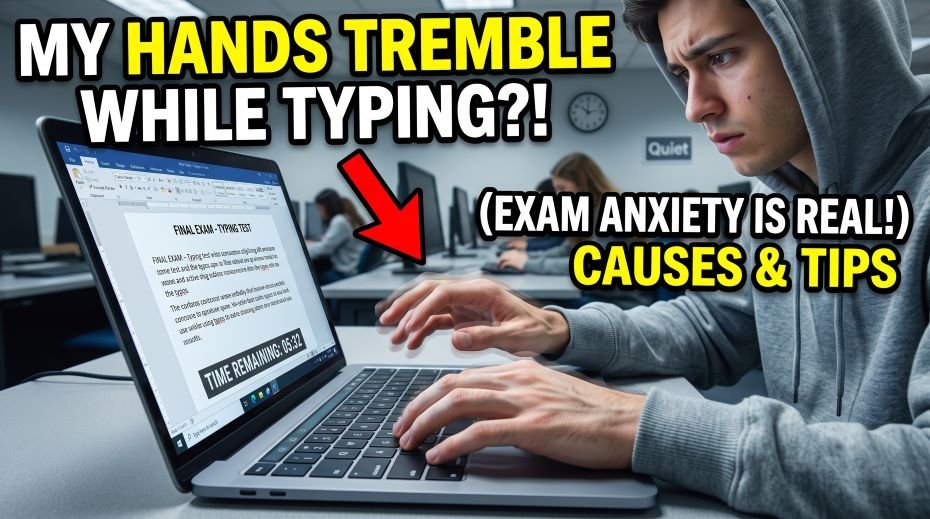
Today we will discuss about the common topics among students during Exam – My Hands Tremble While Typing During Exams, so If your hands start shaking the moment the typing test timer begins, you are not alone. Thousands of candidates preparing for SSC, RRB, and other government exams face this exact problem – fingers that worked perfectly during practice suddenly feel stiff, jittery, or out of control the second real marks are on the line. The good news is that this is a well-understood problem with practical, testable solutions. In this guide, we will break down why hands tremble under exam pressure, what you can do in the last few minutes before the test, and how to train your body so trembling stops being a factor at all.
Why Do My Hands Tremble While Typing During Exams or Typing Test?
Hand trembling during a high-stakes typing test is rarely about typing skill. It is usually your body’s stress response taking over. When exam pressure spikes, the brain releases adrenaline, the same hormone responsible for the classic “fight or flight” reaction. This raises your heart rate, tightens your muscles, and reduces fine motor control – the tiny, precise finger movements typing depends on. This physical reaction is closely linked to what psychologists call test anxiety, a well-documented condition where the fear of being evaluated affects physical and mental performance.
On top of the stress response, a few practical factors make the shaking worse specifically during typing tests:
- Sitting in an unfamiliar chair or using a keyboard that feels different from your practice setup.
- Skipping warm-up and jumping straight into full-speed typing under a countdown timer.
- Excess caffeine or an empty stomach before the exam, both of which increase physical jitteriness.
- Poor wrist posture that puts strain on tendons, leading to fatigue-related shakiness.
- Lack of exposure to timed, high-pressure mock tests before the real exam.
Common Causes vs Practical Fixes
Here is a quick reference table connecting the most common causes of exam-time hand trembling to the fixes that actually work.
| Cause | What’s Happening | Practical Fix |
| Exam-day adrenaline rush | Body releases stress hormones, reducing fine motor control | Box breathing for 60 seconds before starting; arrive early to settle down |
| No warm-up before typing | Cold fingers and tight forearms type less smoothly | 60-second finger and wrist stretch before every mock test and the real exam |
| Unfamiliar keyboard/chair | Muscle memory built on your own setup doesn’t transfer instantly | Practice on different keyboards weekly; adjust chair height calmly before the timer starts |
| Too much caffeine | Caffeine increases heart rate and can cause fine hand tremors | Limit tea/coffee to one cup, and not within 90 minutes of the exam |
| Low mock-test exposure | Body has never rehearsed the real pressure of a timed, scored test | Take at least 10–15 full-length timed mocks before the actual exam |
| Poor wrist posture | Wrists bent up or down strain tendons, causing fatigue tremors | Keep wrists flat and floating, elbows at roughly 90 degrees |
Immediate Steps If Your Hands Start Shaking Mid-Exam
If trembling hits while the timer is already running, do not panic and do not stop completely – a short, controlled reset works better than freezing.
1. Do a 5-Second Reset
Lift both hands slightly off the keyboard, shake them gently for two to three seconds, and place them back in the home row position. This tiny break interrupts the tension cycle without costing much time.
2. Slow Your Breathing, Not Just Your Fingers
Take one slow breath in through the nose for four counts, hold for four counts, and release for four counts. This is a simplified version of a technique often used to calm the nervous system quickly, and it works well even in the middle of a timed test.
3. Shift Focus from Speed to Accuracy for a Few Lines
Deliberately typing a little slower for the next two or three lines reduces the pressure your brain associates with the trembling, and accuracy usually recovers speed naturally within a minute.
4. Keep Wrists Off the Desk Edge
Resting wrists on a hard desk edge restricts blood flow and can worsen shakiness. Let your wrists float just above the keyboard, supported mainly by relaxed forearms.
Long-Term Practice Strategies That Prevent Trembling
Fixing exam-day trembling for good is less about a trick and more about training your body and mind to treat the real exam like just another practice session.
- Simulate real exam conditions at least twice a week – same time limit, same passage difficulty, no pausing.
- Practice on more than one keyboard so your fingers stop depending on one specific feel.
- Build a short, consistent pre-typing warm-up routine and use it every single time, including on exam day.
- Track your error pattern, not just your speed – most tremor-related mistakes cluster around the same few keys.
- Sleep at least 7 hours the night before any timed mock or the real exam; fatigue amplifies hand tremors.
Correct Posture and Ergonomics for Steadier Hands
Posture plays a bigger role in hand steadiness than most candidates realize. Sitting hunched forward with tense shoulders sends tension straight down into the wrists and fingers. A neutral typing posture – feet flat on the floor, back supported, elbows close to the body at roughly 90 degrees, and wrists flat rather than angled – reduces unnecessary muscle strain. Over long practice sessions, poor posture combined with repetitive keystrokes can also contribute to carpal tunnel syndrome, a condition that causes numbness, weakness, and yes, trembling in the hand and fingers. Getting your setup right protects both your exam performance and your long-term hand health.
When Hand Tremors Might Be a Medical Issue
In most cases, exam-related shaking is purely situational and disappears once the stress response fades. However, if your hands tremble noticeably even during calm, low-pressure situations – not just exams – it is worth getting it checked by a doctor. Conditions such as essential tremor are neurological and unrelated to exam stress, and they require a different kind of management than simple exam-anxiety techniques. A quick medical check-up can rule this out and give you peace of mind before your next attempt.
Quick Reference: Government Typing Exam Speed Requirements
Knowing the actual benchmark you’re aiming for often reduces panic, since many candidates overestimate what’s required. Here are commonly referenced typing speed requirements for popular government typing tests (always confirm current numbers on the official notification):
| Exam | Typical Speed Requirement | Test Duration |
| SSC CHSL (English) | 35 WPM | 10 minutes |
| SSC CHSL (Hindi) | 30 WPM | 10 minutes |
| SSC CGL (Data Entry posts) | 8,000 key depressions/hour | 15 minutes |
| RRB NTPC (Typing posts) | 30 WPM (English) / 25 WPM (Hindi) | 10 minutes |
| State Secretariat Exams | Varies by state, commonly 30–35 WPM | 10 minutes |
Pre-Exam Checklist to Reduce Hand Trembling
Run through this short checklist on exam day itself:
- Reached the exam center early enough to sit calmly for 10–15 minutes before the test starts.
- Did a 60-second wrist and finger stretch before sitting down.
- Kept caffeine intake light and had a light meal, not an empty stomach.
- Practiced box breathing (4-4-4 count) at least once while waiting.
- Adjusted chair height and keyboard position calmly before the timer started.
- Reminded yourself that a slight slowdown in the first few lines is normal and recoverable.
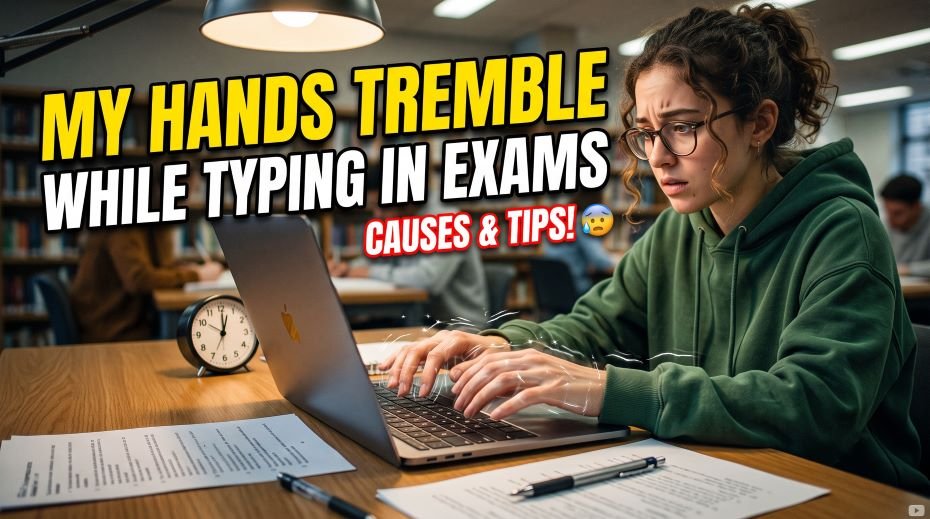
Table: Causes, Problems, Solutions & Where to Complain
Trembling hands during a typing exam are more common than most candidates realize – and the causes range from simple exam-day nervousness to faulty keyboards at the test center. The good news is that most of these issues have quick fixes, and in some cases, you even have the right to raise a complaint on the spot. Below is a quick breakdown of common causes, practical solutions, and where to report center-related problems, followed by real-life examples from fellow aspirants.
| Cause / Issue | Problem Faced | Solution / Tip | Where to Complain |
|---|---|---|---|
| Exam Anxiety | Fingers shake, speed drops, mistakes increase | Practice deep breathing before exam; do daily mock tests to build confidence | Not applicable (self-care) |
| Lack of Practice on Real Keyboard | Unfamiliar key feel causes hesitation | Practice on Typing Mitra or similar simulators before exam day | Not applicable (self-care) |
| Faulty Keyboard at Center | Sticky/unresponsive keys force extra pressure, hands strain | Report immediately during exam | Center Invigilator / Superintendent (on the spot) |
| Poor Sitting Posture | Wrong wrist angle causes shaking and fatigue | Sit upright, keep wrists straight, elbows at 90° | Center Invigilator (seating issue) |
| Too Much Caffeine | Increased heart rate, jittery hands | Avoid tea/coffee before exam | Not applicable (self-care) |
| Lack of Sleep | Fatigue causes muscle twitching | Sleep 7-8 hours before exam day | Not applicable (self-care) |
| Low Blood Sugar | Weakness, shaky hands from hunger | Eat a light meal 1-2 hours before exam | Not applicable (self-care) |
| Time Pressure Panic | Rushing causes uncontrolled shaky typing | Practice timed mocks regularly for speed control | Not applicable (self-care) |
| Medical Condition (tremor, etc.) | Persistent shaking unrelated to stress | Consult a doctor; request scribe/extra time if eligible | Exam Conducting Body (RRB/SSC) Grievance Portal |
| Wrong Chair/Desk Height | Unnatural hand position, strain | Adjust posture as much as possible, inform staff | Center Invigilator |
| Overthinking Mistakes | Panic after an error causes shaky next keystrokes | Ignore small errors, keep moving forward | Not applicable (self-care) |
Table: Real-Life Examples
| Candidate Situation | What Happened | Outcome / Lesson |
|---|---|---|
| First-time SSC aspirant, never used exam-mode keyboard | Hands shook badly seeing unfamiliar test interface | Started practicing on typing simulators weekly; tremors reduced by exam day |
| RRB candidate who skipped breakfast | Hands felt weak and shaky mid-test due to low sugar | Learned to eat a proper meal before every exam |
| Candidate at a center with an old, sticky keyboard | Extra pressure needed to press keys caused hand fatigue and shaking | Reported to invigilator, got a replacement system |
| Aspirant who drank 2 cups of coffee before exam | Hands trembled due to caffeine-induced restlessness | Switched to plain water on exam days going forward |
| Candidate who panicked seeing the timer | Started typing too fast, hands shook, error rate increased | Practiced timed mocks daily; learned to pace typing calmly |
| Aspirant with mild essential tremor | Struggled during typing test regularly | Consulted doctor, applied for scribe assistance under exam provisions |
| Candidate who stayed up all night revising | Hands felt fatigued and jittery during test | Prioritized sleep before next attempt; performance improved |
ALSO READ: Typing Fast but Making Too Many Errors?
FAQ:
Is it normal for hands to shake during a typing test?
Yes, mild trembling due to exam-day adrenaline is extremely common and does not mean something is wrong with your typing ability. It typically settles within the first minute as your body adjusts.
Does daily practice really reduce trembling?
Yes. Repeated exposure to timed, scored conditions trains your nervous system to treat the pressure as familiar rather than threatening, which directly reduces the stress response that causes shaking.
Should I take a break if my hands shake badly during practice?
A short 5 to 10 second pause to shake out your hands and reset your breathing is fine and often helpful. Stopping the practice session entirely is usually not necessary.
Hand trembling during a typing test feels alarming in the moment, but it is almost always a manageable, temporary response to pressure rather than a sign of weak typing skill. Combine steady mock-test practice, a simple pre-exam routine, and calm breathing techniques, and you will notice the shakiness fading attempt after attempt – leaving your real typing speed and accuracy to show through clearly.