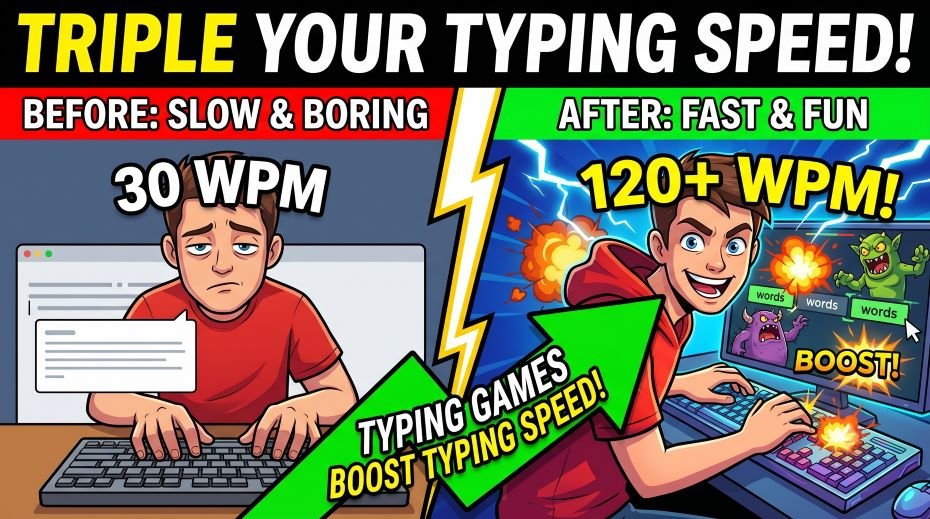
In this article we will discuss about the fun topics – Typing Games Boost Typing Speed, typing games are scientifically proven to improve typing speed faster than traditional drills. Discover the top 20 typing games, how they work, which ones suit government exam prep, students, kids, and adults – and how to build 35+ WPM through play.
What if we told you that playing games could be one of the most effective ways to improve your typing speed for a government exam? It sounds too good to be true – but the science of gamification and motor learning backs it up. Typing games are not just a fun distraction – when used correctly, they build the same procedural memory, finger independence, and keystroke automation that structured drills produce, but with significantly higher engagement and lower dropout rates.
The problem most government exam aspirants, students, and working professionals face is not lack of knowledge about what to practice – it is motivation to keep practicing day after day. Repetitive keyboard drills feel monotonous after a week. Typing games solve this by embedding the same finger movements and key patterns into engaging, score-driven experiences that keep you coming back voluntarily.
This guide covers everything: the science of why typing games work, the top 20 free typing games available online, which games suit which learner types (students, children, government aspirants, adults), how to use games strategically alongside structured practice, Hindi typing games, and a complete weekly schedule that combines games and tests for maximum speed gains.
Quick Facts: Typing Games and Speed Improvement
| Parameter | Key Information |
| Do typing games actually work? | Yes – studies show gamified practice increases engagement 3–5x and produces comparable skill gains to structured drills |
| Best age for typing games | 6 years and above – children learn faster; adults benefit equally from engagement boost |
| Average WPM gain from games | 5–15 WPM improvement over 4–6 weeks of 20 min/day game-based practice |
| Games vs drills – which is better? | Best results come from combining both: games for engagement + structured tests for exam simulation |
| Can games prepare for govt. typing test? | Partly – games build speed and finger habits; exam-style 10-min mock tests must also be practiced |
| Free or paid? | Top 15+ typing games are completely free online – no download or payment needed |
| Hindi typing games available? | Limited – most mainstream games are English only; specialized Hindi tools available separately |
| Best platform for typing games | Browser-based (desktop computer preferred) – matches government exam keyboard setup |
| Daily recommended game time | 15–20 min games + 10–15 min structured test = 30 min total daily practice |
Typing games are most effective as a supplement to structured practice – not a replacement. Use games for 40–50% of your daily practice time and structured mock tests for the remaining 50–60%.
The Science Behind Why Typing Games Work
Typing is a procedural memory skill – it is stored in the same neural pathways as cycling, swimming, and musical instrument playing. Building procedural memory requires repetition, but repetition without engagement leads to attention lapses that reduce the quality of motor learning. This is where typing games create a measurable advantage over pure drills.
How Gamification Accelerates Motor Learning
| Psychological Mechanism | How Games Trigger It | Effect on Typing Learning |
| Dopamine release | Scores, levels, achievements, streaks trigger reward circuits | Higher focus during practice = better motor encoding |
| Flow state | Difficulty scales with skill – always challenging but not overwhelming | Deeper practice absorption; time flies = more reps |
| Immediate feedback | Errors flash instantly; correct keys show as game progress | Faster error correction; reinforces correct patterns |
| Competitive pressure | Leaderboards and multiplayer create healthy pressure | Simulates exam-day stress in a safe environment |
| Progress visibility | WPM graphs, unlocked levels, improved scores | Motivation to continue; self-regulated learning |
| Intrinsic motivation | Playing feels voluntary – not homework | Higher session frequency; less dropout |
| Contextual variety | Different game modes prevent adaptation plateaus | Exposure to wider range of keystroke combinations |
Research in educational psychology consistently shows that gamified practice produces 30–50% better retention of motor skills compared to equivalent time in non-gamified repetition – because engagement quality directly affects memory consolidation.
The critical difference between games and passive entertainment is that typing games require active, deliberate finger movement output – they are not watching a video or clicking a mouse. Every game session is a real typing practice session with the motivational boost of game mechanics layered on top.
Top 20 Free Typing Games Online: Complete Review and Reference
Tier 1 – Best for Government Exam Aspirants and Serious Speed Building
| # | Game Name | Type / Format | WPM Focus | Best For | Website |
| 1 | TypeRacer | Multiplayer racing – type quotes to race others | 30–100+ WPM | Competitive practice, exam stress sim | typeracer.com |
| 2 | Monkeytype | Minimalist timed test with themes and stats | All levels | Focused speed building, WPM tracking | monkeytype.com |
| 3 | Keybr | AI-adaptive key learning – targets weak keys | Beginner–Advanced | Weak key targeting, touch typing | keybr.com |
| 4 | 10FastFingers | 200 most common words timed test + competitions | 20–80+ WPM | Speed tests, global leaderboards | 10fastfingers.com |
| 5 | TypingMasterPro | Govt-style 10-min tests + drills + Hindi mode | All levels | SSC/LDC/RRB exam prep | typingmasterpro.com |
Tier 1 games are closest to real typing test conditions and most effective for government exam preparation. Use these as your primary practice tools.
Tier 2 – Excellent for Speed Building and Daily Practice
| # | Game | Format | Best For | Why It Works |
| 6 | Nitro Type | Car racing game – type to accelerate | Students (13–22 yrs) | High engagement; leaderboards; motivates daily login |
| 7 | ZType | Space shooter – type words to destroy enemies | Fun learners, teens | High urgency creates pressure similar to timed tests |
| 8 | TypeRush | Multiplayer racing with real players | Competitive adults | Real human competition builds exam-like mental pressure |
| 9 | Typing | Structured curriculum + games + certificates | Complete beginners | Most comprehensive free learning path from zero |
| 10 | TypingClub | Lesson-based with stars, streaks and sounds | Beginners, students | Step-by-step finger placement training with games |
| 11 | TypeLift | Adaptive training + typing test | Intermediate learners | Algorithm identifies and drills your weakest keys |
Tier 3 – Great for Kids, Beginners and Casual Learners
| # | Game | Format | Best For | Special Feature |
| 12 | Dance Mat Typing (BBC) | Animated character teaches finger placement | Children (6–12 yrs) | Designed specifically for young children – very engaging |
| 13 | Typing Tournament | Tournament-style competition for kids | Kids & teens | School-friendly; no inappropriate content |
| 14 | Keyboard Ninja | Ninja game – slice falling letter blocks by typing | Beginners, fun learners | Visual-motor connection; enjoyable for all ages |
| 15 | Typer Shark Deluxe | Underwater typing game – type to defeat sharks | Intermediate learners | Speed pressure from approaching enemies builds urgency |
| 16 | Word Raider | Adventure game with typing challenges | Story-lovers, teens | Narrative engagement keeps players motivated longer |
| 17 | TypeTastic | School-focused typing curriculum with games | School students | Teacher dashboard available; tracks progress |
Tier 4 – Specialized and Unique Tools
| # | Game / Tool | What It Does | Best For | Unique Advantage |
| 18 | TypeRacer – Custom Text | Race using custom uploaded text – govt. exam passages | Govt. exam aspirants | Can practice on actual SSC/LDC-style passages in race format |
| 19 | Keybr – Custom Lessons | AI targets your slowest bigrams (key pairs) for drilling | Advanced learners, plateaued typists | Most scientifically targeted approach to weak-key improvement |
| 20 | Typing Bolt | Speed tests + games + AI analysis | All levels | Good analytics; tracks improvement over time |
All games in Tiers 1–4 are free to use in their base version. Some offer premium plans – the free versions are sufficient for government exam preparation purposes.
Top 5 Typing Games – Detailed Review for Government Aspirants
1. TypeRacer – Best for Exam Stress Simulation
| Feature | Details |
| Website | typeracer.com (free) |
| Format | Real-time multiplayer race – type a quote to race against other players or bots |
| WPM Range | Suitable for 20 WPM to 120+ WPM players |
| Why it works for govt. exam | Racing creates psychological pressure similar to a timed typing test – trains composure under stress |
| Accuracy requirement | Must type correctly before car moves – forces accuracy-first approach |
| WPM tracking | Shows your WPM history, best score, average – excellent for progress monitoring |
| Weakness | Literary quotes – slightly different vocabulary from government exam passages |
| Best use | 3–4 races per day as warm-up before structured mock tests |
TypeRacer Pro tip: Play against bots set to your current WPM + 5 WPM. This keeps you in a permanent state of challenge without overwhelming you – the optimal learning zone.
2. Monkeytype – Best for Pure Speed and WPM Tracking
| Feature | Details |
| Website | monkeytype.com (free) |
| Format | Minimalist timed typing test – 15 sec, 30 sec, 1 min, 2 min, 5 min modes |
| Why it works | Beautiful UI, no distractions, detailed statistics – consistency map, accuracy graph, WPM over time |
| Word modes | Most common 200/500/1000 words; quotes; custom text; numbers; punctuation |
| Govt. exam value | Custom text mode: paste actual govt. exam passages and practice on them directly |
| Progress tracking | Excellent – heat maps of which keys slow you down, WPM trend over weeks |
| Best use | Daily 15-minute session: 3 × 2-minute tests with different word modes |
Monkeytype is the preferred tool of most serious typists worldwide. Its statistics panel is more detailed than most paid applications – and entirely free. Create an account to save your progress.
3. Keybr.com – Best for Targeting Weak Keys
| Feature | Details |
| Website | keybr.com (free) |
| Format | AI-adaptive system – unlocks one new key at a time as you master each |
| How it works | Generates pseudo-words containing your practiced keys – forces all-finger use, no memorization |
| Why it works | Identifies your slowest bigrams (key pairs) and increases their frequency in practice text |
| Key unlocking system | Only unlocks the next key when current key reaches speed/accuracy threshold – prevents skipping |
| Govt. exam value | Excellent for beginners and intermediate typists stuck at a WPM plateau |
| Best use | Use as primary tool in Weeks 1–4 of your preparation, then switch to full-passage practice |
Keybr is particularly powerful for candidates stuck at 25–30 WPM who cannot seem to break through. Its algorithm pinpoints exactly which keys are the bottleneck – within 30 minutes of practice.
4. 10FastFingers – Best for Speed Competition and Benchmarking
| Feature | Details |
| Website | 10fastfingers.com (free) |
| Format | 1-minute typing test of 200 most common words + competitions + championships |
| Competition mode | Real-time competitions with other users worldwide – join with friends or public |
| Languages | 50+ languages including Hindi (Devanagari) – rare and useful for Hindi typing practice |
| Hindi typing | Hindi mode available – useful for building Hindi word familiarity even if layout differs from Kruti Dev |
| Govt. exam value | Good for gauging your real WPM under mild competition pressure |
| Best use | Weekly benchmark test – every Sunday, run one competition and record WPM |
5. Nitro Type – Best for Students and Daily Engagement
| Feature | Details |
| Website | nitrotype.com (free) |
| Format | Car racing game – type passages to race; earn money, buy cars, customize |
| Engagement mechanism | Virtual economy – earn gold for each race; spend on car upgrades; team competitions |
| Why it works for students | High addictive engagement – students voluntarily log in daily; strong habit formation |
| WPM improvement | Students report 10–20 WPM improvement over 6–8 weeks of regular play |
| Weakness | Game elements can distract from focused practice – set time limits |
| Best use | 15–20 min daily as motivational supplement; limit to one focused session per day |
Nitro Type is the most effective tool for building the daily typing habit in students aged 13–22. The game economy and team features create social accountability that pure practice tools cannot match.
Hindi Typing Games and Practice Tools: What Is Available
Hindi typing games are significantly less developed than English typing games – the mainstream gaming platforms are predominantly English. However, several specialized tools and approaches exist for Hindi typing practice:
| Tool / Resource | Type | Hindi Layout | Game Elements |
| TypingMasterPro.com | Test + practice tool | Kruti Dev + Mangal/Inscript | Timed tests, WPM tracking |
| 10FastFingers (Hindi) | Word typing test | Unicode / Mangal | Competition mode |
| Typelit.io | Book passage typing | Hindi Unicode supported | Minimal – focus on flow |
| Hindi Typing Tutor (offline) | Desktop application | Kruti Dev / Remington | Lessons, speed tests |
| Custom TypeRacer text | Racing game | Any Unicode | Racing, competition |
| Monkeytype (custom) | Speed test | Unicode Hindi custom text | Stats, themes, modes |
For Kruti Dev (Remington layout) Hindi typing – the standard for Rajasthan LDC and most state exams – specialized desktop software or dedicated practice tools are needed. Browser-based games largely do not support Kruti Dev input method.
How to Practice Hindi Typing with Game-Like Elements
- Create your own competition: Set a personal best WPM target for each session. Beat your best score to ‘win’. Record in a notebook – seeing a new personal best every few days is highly motivating.
- Time-attack practice: Set a 5-minute timer and type as many words as possible. Count your word count at the end. Try to beat it next session. This is essentially a self-created typing game.
- Passage relay: With a study partner, take turns typing the same passage. The faster, more accurate typist wins the round. Simple, effective, and creates the competitive pressure of TypeRacer without an app.
- Daily WPM streak: Maintain a streak of days where your WPM meets or beats a target. Missing the target breaks the streak. This gamification of consistency is powerful – similar to Duolingo’s streak mechanic.
- Level-up system: Create your own level system: Level 1 = 15 WPM, Level 2 = 20 WPM… Level 10 = 35 WPM (government qualifying). Give yourself a small reward each time you unlock a new level.
also read: Stenography and Typing for PwD and All Categories
Best Typing Games by Learner Type
| Learner Type | Top Recommended Games | Why These Work Best |
| Children (6–12 years) | Dance Mat Typing, TypingClub, Keyboard Ninja, TypeTastic | Animated characters, sounds, stars – designed for short attention spans |
| Teens (13–18 years) | Nitro Type, ZType, TypeRacer, 10FastFingers | Competition, customization, social features – high engagement with teen motivation patterns |
| Students (govt. exam prep) | TypingMasterPro, Monkeytype, TypeRacer, Keybr | Exam-style passages, WPM tracking, weak-key targeting – directly applicable to test prep |
| Housewives / Adult beginners | TypingClub, Keybr, Typing.com, TypingMasterPro | Structured learning path, patient progression, clear milestones – suitable for returning learners |
| Working professionals | Monkeytype, TypeRacer, 10FastFingers | Quick sessions (1–2 minutes), no setup needed, immediate feedback – fits busy schedules |
| Advanced typists (40+ WPM) | TypeRacer (competitive), Monkeytype (hard mode), Keybr (bigram focus) | Competitive pressure and bigram analysis needed to break past speed plateaus |
| Hindi typing learners | TypingMasterPro (Hindi mode), 10FastFingers (Hindi), Custom Monkeytype | Hindi-specific tools needed – game options are limited but growing |
No single game suits every learner. Match your game choice to your current WPM level and motivation style – then switch games when you feel bored or plateau.
Typing Games vs Drills: WPM Improvement Comparison
| Practice Method | Daily Time | 4-Week WPM Gain | Dropout Rate | Engagement Level |
| Pure drills only | 30 min | +5 to +8 WPM | High (60–70%) | Low – feels like homework |
| Typing games only | 30 min | +6 to +10 WPM | Low (15–25%) | High – voluntary, fun |
| Games + drills combined | 30 min total | +8 to +14 WPM | Very Low (10–15%) | Medium-High – balanced |
| Games + mock tests | 30 min total | +10 to +15 WPM | Very Low | High + realistic |
| Unstructured random typing | 30 min | +1 to +3 WPM | Medium | Variable |
The optimal combination is: 15 min typing games (for engagement and variety) + 15 min structured mock test (for exam simulation). This produces the highest WPM gain with lowest dropout rate – and is the recommended schedule for government exam aspirants.
Recommended Weekly Schedule: Typing Games + Structured Practice
| Day | Game Session (15 min) | Structured Practice (15 min) | Total | Focus |
| Monday | Keybr – weak key targeting | Home row drills / Govt. passage | 30 min | Technique and accuracy |
| Tuesday | TypeRacer – 5 races | 10-min mock test (govt. style) | 30 min | Speed + exam simulation |
| Wednesday | Monkeytype – 3 x 2-min tests | Weak letter drills from Mon mock | 30 min | WPM tracking + weak keys |
| Thursday | Nitro Type – 4 races | Full passage typing (no timer) | 30 min | Engagement + flow practice |
| Friday | ZType or Keyboard Ninja | Speed burst drills (1 min x 5) | 30 min | Fun + speed ceiling push |
| Saturday | 10FastFingers competition | Full 10-min mock test (exam sim) | 30 min | Competitive benchmarking |
| Sunday | Rest OR light TypeRacer | WPM test only – record progress | 15–20 min | Recovery + weekly progress check |
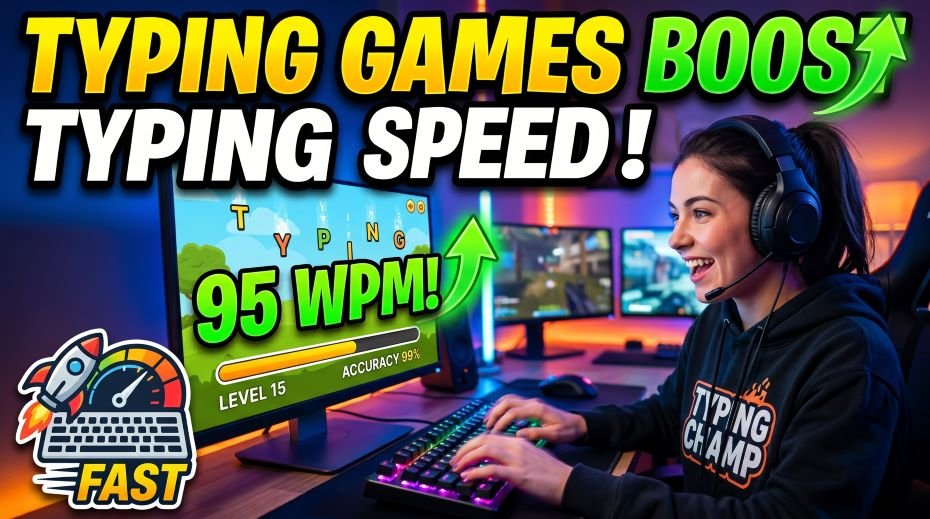
This schedule produces consistent 8–14 WPM improvement per 4 weeks for most learners. Track your Sunday WPM every week and celebrate improvements – even 1 WPM per week is on track for reaching 35 WPM in 10–12 weeks from 20 WPM.
Which Games to Play at Which WPM Level
| Current WPM | Primary Game | Secondary Game | What to Focus On |
| 0–10 WPM | TypingClub (lessons) | Dance Mat Typing (children) / Keybr (adults) | Finger placement, home row, touch typing basics |
| 10–20 WPM | Keybr.com | Typing.com structured course | Full keyboard coverage, weak key elimination |
| 20–28 WPM | Monkeytype (15-sec / 30-sec) | TypeRacer (bots at your speed) | Speed push, accuracy above 93% |
| 28–34 WPM | TypeRacer (real players) | 10FastFingers (competition) | Breaking the 30 WPM plateau, exam passage practice |
| 34–40 WPM | TypingMasterPro (10-min govt. test) | Monkeytype (2-min hard mode) | Consolidation, mock test practice, 5 WPM buffer |
| 40–60 WPM | TypeRacer competitive | Keybr advanced (bigram focus) | Speed ceiling push, accuracy at high speed |
| 60+ WPM | Monkeytype hard mode | TypeRacer top-lobby competition | Consistency, endurance, 5-min sustained speed |
Progression through these levels is not linear – most candidates experience rapid gains from 10–28 WPM and a noticeable plateau around 28–34 WPM. This is normal. Keybr and targeted drills are most effective for breaking this specific plateau.
Common Mistakes When Using Typing Games – And How to Avoid Them
| # | Mistake | Why It Is a Problem | The Fix |
| 1 | Playing games only – no mock tests | Games never replicate 10-minute govt. test format; fail on exam day despite good game WPM | Replace 50% of game time with 10-minute structured tests from Week 5 onward |
| 2 | Using backspace excessively in games | Builds habit of constant correction – kills net speed in govt. test where errors deduct from score | Turn off backspace in Monkeytype settings; force yourself to continue past errors in games |
| 3 | Playing on phone instead of desktop | Phone game typing = completely different motor pattern from desktop typing test | All typing game practice must be on desktop or laptop keyboard only |
| 4 | Playing too many different games | Switching games constantly = no depth; you never master any tool’s feedback loops | Choose 2–3 primary games and use them for 4+ weeks before switching |
| 5 | Over-gaming – 2+ hours daily | Fatigue reduces quality of motor encoding; increases bad habits | Maximum 20 min of games per day; rest is structured practice and rest |
| 6 | Looking at keyboard during games | Same fatal habit as in drills – games do not cure keyboard-watching automatically | Play with screen only; cover keyboard with cloth if needed |
The single biggest mistake is using games as the only practice method. Games build engagement and general finger speed – but only government exam-style 10-minute passages build the specific endurance and accuracy needed for the actual test.
Fact File: Typing Games – Interesting Facts and Statistics
| Fact | Data / Source |
| TypeRacer users worldwide | Over 5 million registered users across 180+ countries |
| Average WPM on TypeRacer | ~75 WPM – significantly higher than global average of 40 WPM |
| Gamification impact on engagement | Studies show 3–5x longer practice sessions with gamified tools vs non-gamified |
| Fastest TypeRacer record | 250+ WPM – held by professional typists in competition mode |
| World fastest typist (keyboard) | Barbara Blackburn – 216 WPM sustained; 212 WPM on Dvorak layout |
| Average Indian govt. job aspirant WPM | ~25–30 WPM before focused preparation |
| Games used in school typing programs | TypingClub used in 40,000+ schools worldwide; Dance Mat in UK school curriculum |
| Motor memory consolidation during sleep | Playing typing games before bed leverages sleep-based motor consolidation |
| Dropout rate – drills only | 60–70% of self-taught typists quit within 3 weeks using drills alone |
| Dropout rate – games included | 10–15% – games dramatically improve persistence and habit formation |
The dramatic difference in dropout rate between drill-only and game-inclusive practice is the strongest argument for incorporating typing games into any serious typing improvement plan.
Official Links: Top Typing Games and Practice Resources
| Resource | Link |
| TypingMasterPro (Govt. Test Mode) | typingmasterpro.com |
| TypeRacer (Multiplayer Racing) | typeracer.com |
| Monkeytype (Speed Test + Stats) | monkeytype.com |
| Keybr (AI Adaptive Training) | keybr.com |
| 10FastFingers (Tests + Hindi) | 10fastfingers.com |
| Nitro Type (Car Racing Game) | nitrotype.com |
| TypingClub (Beginner Curriculum) | typingclub.com |
| Typing.com (Free Full Course) | typing.com |
| ZType (Space Shooter) | zty.pe |
| SSC (Typing Test Rules) | ssc.nic.in |
All games listed above are free in their base version. No payment is needed to use any of these tools for government exam typing preparation.
Frequently Asked Questions
Do typing games actually improve real typing speed?
Yes – with an important caveat. Typing games improve general finger speed, key familiarity, and typing endurance through high-engagement repetition. However, they must be combined with structured practice on government exam-style passages (10-minute timed tests) to prepare specifically for the exam format. Using only typing games without mock tests is like practicing cricket shots in a gym – valuable, but not a complete substitute for batting practice in the nets.
Which is the best free typing game for government exam preparation?
For government exam aspirants, the best combination is: (1) Keybr.com for targeting weak keys in Weeks 1–4, (2) Monkeytype for daily WPM tracking and speed building in Weeks 3–8, (3) TypeRacer for competitive pressure simulation from Week 5 onward, and (4) TypingMasterPro for government exam-style 10-minute mock tests throughout. These four tools together cover every aspect of effective typing test preparation.
Can typing games help reach 35 WPM for SSC CHSL?
Yes – especially if combined with structured practice. Most candidates using games + mock tests consistently report reaching 35 WPM within 10–14 weeks from a starting point of 15–20 WPM. Games alone may take 12–18 weeks for the same gain due to less exam-specific training. The 15-min games + 15-min government passage mock test formula is the optimal combination for reaching SSC CHSL standard efficiently.
Are typing games suitable for children learning to type?
Absolutely – typing games are actually the recommended primary method for children. Dance Mat Typing (BBC), TypingClub, and TypeTastic are specifically designed for children aged 6–12 and are used in school curricula worldwide. Children’s shorter attention spans make drill-based practice particularly ineffective – games are not just a supplement for children, they are the ideal primary learning method up to approximately age 14.
Is there a good Hindi typing game available online?
Hindi typing game options are limited compared to English. The best available options are: 10FastFingers (Hindi mode – Unicode/Mangal), TypingMasterPro (Kruti Dev and Mangal Hindi modes with timed tests), and Monkeytype with custom Hindi text pasted in. For Kruti Dev layout specifically, browser-based games are largely unavailable – dedicated desktop practice tools or self-created timed exercises are currently the most effective approach for Hindi Kruti Dev typing.
How long should I play typing games each day?
15–20 minutes of typing games per day is the optimal duration. Below 15 minutes, the session is too short to build meaningful momentum. Above 30 minutes, fatigue reduces the quality of motor encoding and can reinforce bad habits. The recommended daily schedule is: 15 min games + 15 min structured government mock test = 30 minutes total. On weekends, extend the structured test to 20–25 minutes for deeper practice.
Conclusion: Make Typing Practice Something You Look Forward To
The fundamental problem with typing preparation is not ability – it is consistency. Most people know they need to practice, but the dryness of repetitive drills makes it easy to skip a day, then two days, then a week. Before you know it, the exam is a month away and you are still at 22 WPM.
Typing games solve this problem not by making practice easier, but by making it something you actually want to do. When you are racing other players on TypeRacer, shooting down enemies on ZType, or building your dream car on Nitro Type – you are not thinking about drilling. You are playing. And while you play, your fingers are building the same procedural memory that structured drills build, at the same effective rate, with dramatically lower dropout rates.
The formula is simple: 15 minutes of your favorite typing game to warm up and stay engaged, followed by 15 minutes of government exam-style passage practice to build exam-specific endurance. Do this every day for 10–14 weeks. Track your WPM every Sunday. Arrive at your SSC CHSL, Rajasthan LDC, or RRB NTPC typing test center having logged hundreds of practice sessions – and knowing that you have built the habit, the speed, and the accuracy to qualify.
Start with a free speed test at TypingMasterPro.com right now. Find out your current WPM. Then open TypeRacer or Monkeytype, set a timer for 15 minutes, and begin. The best time to start was when you first thought about it. The second-best time is right now.