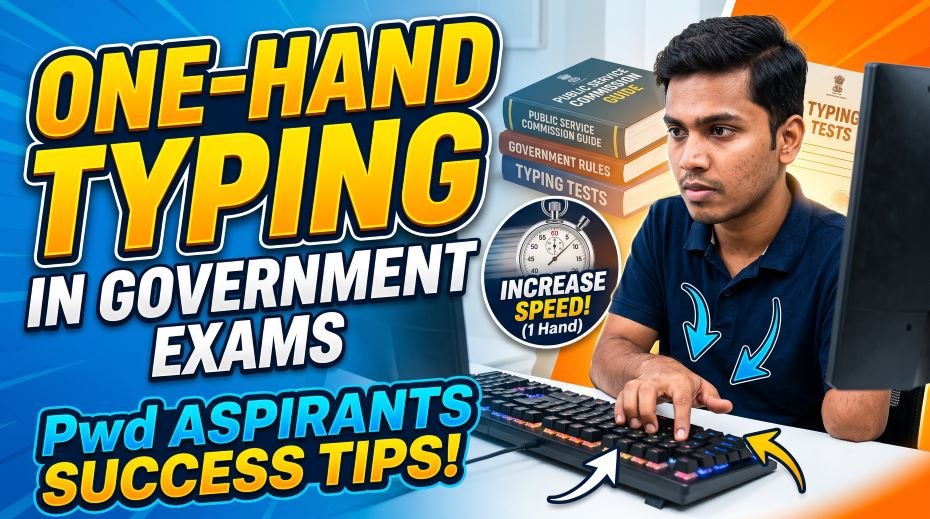
In this article we have shared info about One-Hand Typing in Government Exams (Pwd Typing Aspirants) and a complete guide for physically challenged aspirants attempting government typing tests with one hand – from form filling to exam day, facilities, scribe rules, and do’s and don’ts.
Attempting a government typing skill test with the use of only one hand takes a kind of courage that most candidates never have to summon. It means competing on a mostly standard test format while managing a genuinely different physical reality – and doing it while the system, the exam hall, and sometimes even well-meaning people around you are still catching up to what fair access actually looks like. This guide walks through the entire journey for physically challenged aspirants, from filling the application form to walking out of the exam hall, along with the facilities you are entitled to, the challenges you’re likely to face, and practical ways to handle each stage with confidence.
Stage 1: Filling the Application Form Correctly
The foundation of every facility you’ll receive later is laid at the application stage itself. Mistakes or missed steps here often cannot be corrected once the exam process begins.
- Select the correct disability category (commonly Persons with Benchmark Disability or PwBD) exactly as defined in that year’s official notification – categories and terminology can change between exams.
- Keep a valid disability certificate ready, generally issued by a government medical board with a minimum benchmark disability percentage as specified by the recruiting body.
- Upload the certificate in the exact format requested (often a specific Annexure number) – a mismatched format is one of the most common reasons genuine claims get rejected at verification stage.
- Double-check whether the notification asks you to declare your need for a scribe, extra time, or both, since these are sometimes separate declarations.
- Save confirmation copies of every document uploaded; you will very likely need to carry the originals to the exam centre later.
Stage 2: Reaching the Exam Centre
For many one-handed or mobility-affected candidates, simply reaching the seat can take more energy than the test itself. Planning this stage well protects your focus for the actual typing test.
- Check the centre address and its accessibility (stairs vs ramp, lift availability) a day in advance if possible, using maps or a call to the centre helpline.
- Travel with extra buffer time – one-handed navigation of transport, stairs, or crowded entry lines takes longer than official reporting time windows often assume.
- Carry your admit card, original disability certificate, and a valid ID together in one easily accessible bag or folder.
- If a family member or attendant is accompanying you, confirm in advance whether they are permitted inside the centre premises or only up to the gate, since this varies by exam and centre.
- Ask centre staff politely and early for help locating your seat or desk if the layout is unclear – most exam staff are instructed to assist PwBD candidates.
Facilities You Are Entitled to at the Exam Centre
Recruiting bodies such as SSC generally provide a defined set of accommodations for candidates with benchmark disabilities, in line with the broader framework of disability rights protections. Exact figures can change from one notification to another, so always confirm the current details in your specific exam’s official notice, but commonly seen provisions include the following.
| Facility | What It Typically Means | Who It’s Usually For |
| Compensatory extra time | Additional minutes added to the standard typing test duration | Candidates with a valid benchmark disability certificate |
| Scribe / passage dictator | A person provided by the exam body to type or read the passage on the candidate’s behalf | Candidates whose disability prevents independent typing or reading the screen |
| Ground-floor or accessible seating | Seat allotment on an easily reachable floor, close to entrances or washrooms | Candidates with locomotor or mobility-related disabilities |
| Exemption from the typing test | Full exemption with a separate medical certificate confirming permanent inability to type | Orthopedically impaired candidates certified as permanently unfit for typing |
| Assistance at document verification | Priority handling or additional support during ID and certificate checks | All PwBD candidates on request |
Because these provisions are set out in the specific exam’s notification and can be revised, treat the table above as a general reference and re-verify every figure and rule from your exam’s current, official notice before assuming what you’re entitled to.
Do’s and Don’ts for One-Handed and PwBD Candidates
| Situation | Do | Don’t |
| Documentation | Carry the original disability certificate, not just a photocopy or upload confirmation | Don’t assume a soft copy uploaded earlier is enough on exam day |
| Requesting facilities | Confirm your compensatory time and scribe eligibility in writing during the application stage | Don’t wait until exam day to ask about facilities you never formally applied for |
| Seating | Politely request a seat adjustment if your current one is inaccessible or uncomfortable | Don’t struggle silently through a seat that clearly doesn’t work for your condition |
| Using a scribe | Clearly communicate the exact passage, word by word, at a calm and steady pace | Don’t rush the scribe just because the clock is running – clarity avoids repeated errors |
| Typing technique | Use practiced one-handed shortcuts and a consistent hand position for speed | Don’t attempt techniques you haven’t rehearsed simply because you’re short on time |
| Asking for help | Raise your hand and ask centre staff directly if something is not working | Don’t hesitate out of self-consciousness – accommodation requests are a normal part of the process |
| Family support | Let family or an attendant help with logistics like travel and documents beforehand | Don’t let anyone accompany you inside the exam hall unless it’s explicitly permitted |
Building One-Handed Typing Speed: Practical Techniques
Typing with one hand is a genuinely different skill from two-handed touch typing, not simply a slower version of it. Many one-handed typists benefit from remapped or specialised keyboard layouts, similar in concept to alternative layouts like the one-handed variants of the Dvorak keyboard layout, which cluster frequently used letters closer to a smaller range of finger movement.
- Practice with software or typing tools that specifically offer one-hand practice modes, rather than adapting standard two-hand lessons on your own.
- Develop a consistent “home position” for your hand so muscle memory builds faster, the same principle full touch-typists rely on.
- Use keyboard shortcuts and auto-correct features where permitted during practice to reduce unnecessary repeated keystrokes – note that some of these may be disabled during the actual exam, so confirm exam rules separately.
- Break practice sessions into short, frequent blocks rather than long sessions, since one-handed typing can fatigue hand and forearm muscles faster.
- Track accuracy separately from speed early on; speed typically follows once accurate finger placement becomes automatic.
Assistive Technology and Exam-Day Setup
Where permitted, certain forms of assistive technology such as screen readers, adjustable input devices, or specially configured keyboards can be requested in advance for candidates who qualify. These requests almost always need to be raised during the application process or well before the exam date, since exam centres are rarely equipped to arrange custom setups on the spot.
- Request any specific hardware or software accommodation in writing, with supporting medical documentation, as early as the notification allows.
- Practice on a setup as close as possible to what you expect at the centre, since standard-issue exam computers may differ from your home setup.
- Test your requested accommodation, if approved, during any available mock or demo session before the actual exam.
The Emotional Side: Confidence, Family, and Community
The practical hurdles are only part of the journey. Confidence tends to build fastest when preparation, support, and self-compassion move together rather than one at a time.
- Family support in the weeks before the exam – helping with travel logistics, documentation, and calm encouragement – often matters as much as typing practice itself.
- Connecting with other one-handed or PwBD typists, in person or online, can reduce the isolation that comes from preparing for a test format not originally designed with your situation in mind.
- It’s normal to feel a mix of determination and frustration at different points in preparation; both are part of a genuinely harder path, not a sign that something is wrong with your effort.
- Celebrate incremental progress in practice speed and accuracy rather than only comparing yourself to standard two-handed benchmarks.
Quick Fact Table: What to Verify Before Exam Day
| Item | Why It Matters | Action |
| Disability certificate validity | Expired or incorrectly formatted certificates can void your facility claims | Check issue date, format, and required benchmark percentage well in advance |
| Scribe eligibility confirmation | Not all disabilities automatically qualify for scribe assistance | Confirm your category’s eligibility directly from the official notification |
| Compensatory time amount | Varies by exam, tier, and disability category | Note the exact extra minutes stated for your specific exam and post |
| Centre accessibility | Physical barriers can cost valuable pre-exam energy and time | Call the centre helpline or check the admit card for accessibility notes |
| Attendant/family entry rules | Unauthorised accompaniment can cause last-minute complications | Confirm in writing whether an attendant may enter the premises |
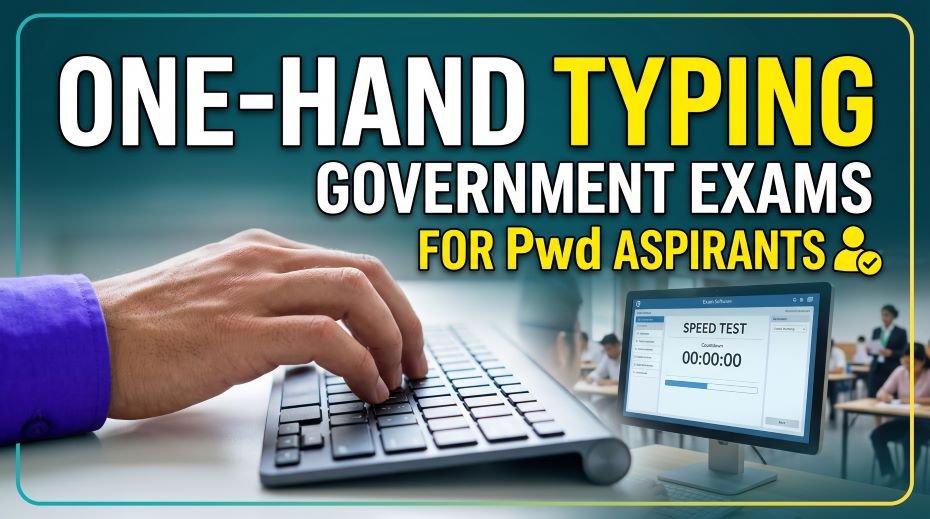
Table: Issues, Causes, Solutions & Where to Complain
For candidates with a locomotor disability who can only use one hand, government typing exams present unique challenges – from keyboard shortcuts designed for two hands to accuracy targets that don’t account for reduced dexterity. Fortunately, exam bodies like SSC and RRB provide specific provisions for PwD/PwBD (Persons with Benchmark Disability) candidates, including compensatory time and scribe assistance. Below is a breakdown of common issues, practical solutions, and where to raise concerns, along with real examples from PwD aspirants.
| Issue / Cause | Problem Faced | Solution / Tip | Where to Complain |
|---|---|---|---|
| Standard time limit not adjusted | One-hand typing naturally takes longer, risk of not completing test | Apply for compensatory time during application (SSC typically gives 5 extra minutes in DEST, other papers may get more – check your notification) | Exam Conducting Body’s PwBD Cell / Grievance Portal |
| Disability certificate not verified in advance | Denied compensatory time or scribe at the last moment | Carry original disability certificate on exam day; SSC/RRB mandate this for availing any facility | Center Superintendent (on the spot) |
| Two-hand keyboard shortcuts required (e.g., Shift+key combos) | Difficulty executing certain key combinations one-handed | Practice one-hand typing techniques and remapped shortcuts in advance using accessible typing tools | Not applicable (self-practice) |
| Scribe not provided despite request | Left without assistance on exam day | Confirm scribe details during application; follow up via exam body’s portal within the given window | Exam Conducting Body’s Grievance Portal |
| Hand fatigue from prolonged one-hand use | Speed drops sharply in the second half of the test | Take micro-breaks in practice sessions; build hand stamina gradually over weeks | Not applicable (self-practice) |
| Exam center lacks accessible seating/desk setup | Awkward positioning affects typing comfort and speed | Request accessible infrastructure in advance as per PwBD guidelines | Center Invigilator / Exam Conducting Body |
| Standard accuracy benchmark not relaxed | Unfair comparison with two-hand typists | Check specific notification for any relaxed accuracy/speed norms for PwBD candidates | Exam Conducting Body’s official notification / Grievance Cell |
| Own scribe not allowed | Confusion if candidate expected to bring a known scribe | Note that some bodies now only allow commission-provided scribes – verify current rules before exam day | Exam Conducting Body’s official website/notice |
| Unfamiliarity with one-hand typing software layout | Slower adaptation during actual test | Practice on tools that support customizable/one-hand layouts well before exam | Not applicable (self-practice) |
Table: Real-Life Examples
| Candidate Situation | What Happened | Outcome / Lesson |
|---|---|---|
| Candidate with right-hand-only mobility applied for RRB typing test | Did not request compensatory time during application | Missed out on extra time; learned to always apply for accommodations upfront next attempt |
| PwBD candidate carried only a photocopy of disability certificate | Was initially denied scribe facility at the center | Original certificate resolved the issue; now always carries the original document |
| Aspirant practiced two-hand typing techniques by habit | Struggled with speed during actual one-hand attempt | Switched practice method to one-hand-specific drills weeks before exam, saw major improvement |
| Candidate requested a specific known scribe | Request denied since exam body now assigns scribes only | Adjusted expectations and coordinated with the assigned scribe beforehand via portal |
| Aspirant with hand fatigue issue took the test without breaks in practice | Speed and accuracy dropped significantly after 8 minutes | Incorporated short stamina-building sessions into practice; performance stabilized by exam day |
| Candidate unaware of relaxed accuracy norms for PwBD | Felt discouraged comparing own score to general category | Checked official notification and found relaxed benchmarks applied specifically to their category |
ALSO READ: Do’s and Don’ts During a Government Typing Exam (Guide)
FAQ:
Can I use my own scribe for a government typing test?
This depends entirely on the specific exam’s current policy. Some recruiting bodies now provide the scribe themselves rather than allowing candidates to bring their own, so always check the latest official notification for your exam rather than relying on older information.
Will I be at a disadvantage compared to two-handed candidates?
The compensatory time and facility structure exists specifically to account for this gap. With consistent one-hand-specific practice and full use of the facilities you’re entitled to, many candidates reach qualifying speed and accuracy comfortably within the extended time.
What if my disability certificate is rejected or challenged at the centre?
Stay calm and ask for the rejection reason in writing if possible. Most recruiting bodies have a grievance or appeal process; keep copies of every document so you can follow up through the official channel rather than resolving it informally at the centre.
Typing with one hand in a government exam hall is not a lesser attempt at the same test everyone else is taking – it’s a genuinely different challenge, met with genuine preparation. Know your entitlements, confirm every facility in writing before exam day, practice with methods built for your specific situation, and walk in knowing that asking for the support your owed is not a favour, it’s a right built into the process for exactly this reason.