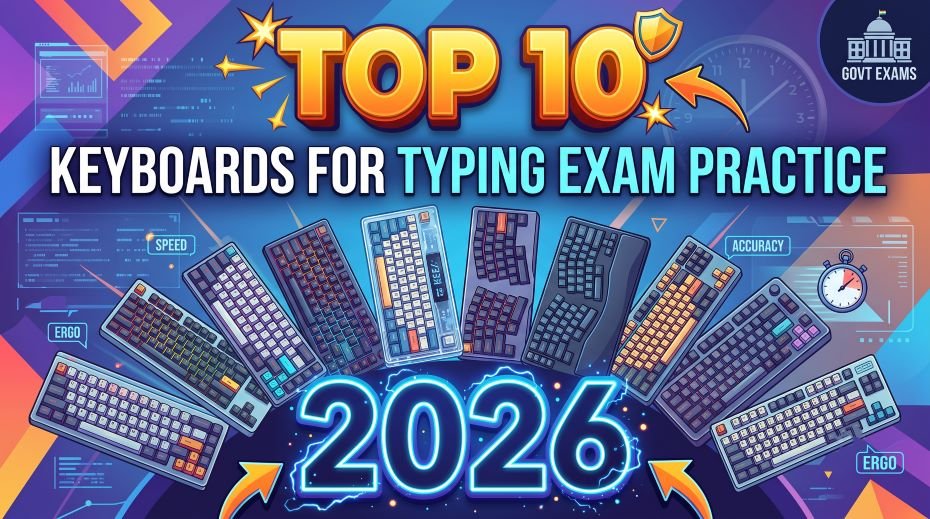
Today we have shared the Top 10 Keyboards for Typing Exam Practice in 2026, 10 best keyboards for SSC, RRB, stenography, and other government typing exam practice – features, specs, price, and direct Amazon links so, the keyboard you practice on every single day quietly shapes your exam-day performance – your muscle memory, your rhythm, and your comfort during a long practice session all depend on it. Most aspirants pour months into typing tutors and mock tests while typing on whatever keyboard happens to be lying around at home. This guide reviews 10 keyboards genuinely suited to different kinds of government typing exam preparation – from ultra-budget starter boards to mechanical keyboards built for speed – with real features, pricing, and direct purchase links, arranged from most affordable to premium.
How to Choose the Right Keyboard for Exam Practice
- Wired over wireless: no lag, no battery anxiety, and no connectivity drops during a timed practice session.
- Full-size layout with a number pad if your target exam involves numeric or data-entry heavy content.
- Build quality that can handle 3–6 hours of daily typing without key wobble or failure over months of preparation.
- Noise level matters if you’re practicing in a hostel, library, or shared space – membrane keyboards are quieter than mechanical ones.
- Think of a slightly better keyboard as an investment in fewer errors and better long-term accuracy, not just a one-time purchase.
Top 10 Keyboards for Typing Exam Practice
Search for these keyboards on Google, Amazon, or any other e-commerce website, and purchase the one that suits your preference to enhance your practice.
1. Ant Value FKBRI01 Ultra-Slim Wired Keyboard
Approx. Price: ₹189–₹259 (check listing for current price)
- Ultra-slim, compact membrane design that saves desk space
- Spill-resistant, water-resistant coating on keys
- Rated for up to 10 million keystrokes
- Silent, smooth typing feel widely praised at this price point
Best For: The absolute lowest-budget entry point – ideal for a student who just needs a genuinely usable second keyboard for daily home practice.
2. Zebronics K20 Wired Keyboard
Approx. Price: ₹299–₹399 (check listing for current price)
- 104-key full-size layout with UV-coated, fade-resistant keycaps
- 1.2m USB cable, retractable stand for angle adjustment
- Dedicated Rupee (₹) symbol key
- Simple membrane keys – reliable, standard layout, no unnecessary extras
Best For: Beginners on a tight budget who want a dependable, full-size board to start daily typing drills.
3. Zebronics K24 Wired Keyboard
Approx. Price: ₹299–₹349 (check listing for current price)
- Slim, chiclet-style key design with UV-coated keycaps
- Rated for 8 million keystrokes long life
- 1.5m textured cable, retractable stand
- Silent, comfortable typing – good for late-night or shared-room practice
Best For: Budget-conscious aspirants who want a quieter, slimmer alternative to a standard membrane board for evening practice sessions.
4. Frontech FT-1672 Wired Keyboard
Approx. Price: ₹300–₹360 (check listing for current price)
- 104-key membrane keyboard with retractable stand
- Ergonomic, comfortable key design
- USB plug-and-play, no drivers needed
- 1-year manufacturer warranty
Best For: Aspirants wanting a well-known budget Indian brand with a straightforward, no-fuss typing experience.
5. Amazon Basics Wired Keyboard
Approx. Price: ₹400–₹550 (check listing for current price)
- 104-key full-size layout, soft and quiet keystroke
- Compatible with Windows and Mac OS computers
- Simple plug-and-play USB connection
- Budget-friendly with generally consistent build quality
Best For: Aspirants who want a no-frills, quiet, reasonably priced daily-practice keyboard from a widely available brand.
6. Dell KB216 Wired Multimedia Keyboard
Approx. Price: ₹499–₹529 (check listing for current price)
- Full-size layout with chiclet-style, laptop-like keys
- Spill-resistant design with 3 status indicator lights
- Quiet, low-profile keystroke – minimal noise for shared spaces
- Adjustable tilt legs; multimedia hotkeys for volume/playback
Best For: Aspirants who want a clean, professional, quiet keyboard that closely resembles many office and exam-centre setups.
7. Portronics Ki-Pad 4 Wired Keyboard
Approx. Price: ₹449–₹599 (check listing for current price)
- Full-size 104-key layout with dedicated number pad
- 12 multimedia Fn hotkeys for volume/media control
- Soft-touch, silent keys designed for long typing sessions
- Anti-slip base with a durable 1.5m cable
Best For: Aspirants who want a comfortable, quiet, full-size board for extended daily practice without spending much.
8. HP K100 Wired Keyboard
Approx. Price: ₹589–₹919 (check listing for current price)
- Full-size keyboard with responsive, comfortable keys
- Adjustable tilt feet for ergonomic typing angle
- LED indicators for Caps Lock, Num Lock, and Scroll Lock
- 3-year manufacturer warranty; plug-and-play, no driver needed
Best For: Aspirants who want a widely trusted brand with solid build quality and warranty backing for daily, long-term practice.
9. Logitech K120 Wired Keyboard
Approx. Price: ₹629–₹800 (check listing for current price)
- Full-size layout with integrated number pad
- Deep-profile keys with springy, responsive bounce-back
- Spill-resistant design; sturdy adjustable tilt legs
- Rated for up to 10 million keystrokes per key
Best For: Aspirants preparing for data-entry-heavy exams who want a globally trusted brand known for keyboard reliability.
10. TVS-e Gold Bharat Wired Mechanical Keyboard
Approx. Price: ₹1,200–₹1,800 (mechanical, premium tier) (check listing for current price)
- Genuine mechanical switches (Long Hua Blue-type), full 104-key layout
- Tactile, audible click feedback on every keystroke – many typists report improved rhythm and accuracy
- Extremely durable, heavy build – a long-time favourite in Indian banks and government offices
- Louder than membrane keyboards, so better suited to a private room than a shared hostel space
Best For: Serious, long-term aspirants who type for hours daily and want the tactile feedback and durability of a true mechanical keyboard – widely regarded as one of the most “exam-realistic” keyboards since many government offices actually use similar TVS boards.
Quick Comparison Table
| Keyboard | Type | Approx. Price | Best Suited For |
| Ant Value FKBRI01 | Membrane | ₹189–₹259 | Absolute lowest-budget starter option |
| Zebronics K20 | Membrane | ₹299–₹399 | Complete beginners, tight budget |
| Zebronics K24 | Membrane (slim) | ₹299–₹349 | Quiet evening/shared-room practice |
| Frontech FT-1672 | Membrane | ₹300–₹360 | Simple, no-fuss budget option |
| Amazon Basics Wired | Membrane | ₹400–₹550 | No-frills, budget daily practice |
| Dell KB216 | Membrane (chiclet) | ₹499–₹529 | Quiet, professional daily practice |
| Portronics Ki-Pad 4 | Membrane | ₹449–₹599 | Comfortable extended practice sessions |
| HP K100 | Membrane | ₹589–₹919 | Trusted brand, warranty-backed durability |
| Logitech K120 | Membrane | ₹629–₹800 | Data-entry-heavy exam preparation |
| TVS-e Gold Bharat | Mechanical | ₹1,200–₹1,800 | Serious long-term aspirants, tactile feedback |
Membrane vs Mechanical: Which Should You Choose?
- Membrane keyboards (9 of the 10 options above) are quieter, cheaper, and closer to what most exam centres actually use – a safe, realistic choice for most aspirants.
- The mechanical TVS-e Gold Bharat offers more tactile feedback, which some typists find helps build a more consistent rhythm and reduces double-taps, but it is noticeably louder.
- If your exam centre’s actual hardware is unknown, practicing primarily on a membrane keyboard is generally the safer bet, since it’s the more common setup in exam halls.
- Consider a mechanical keyboard as a secondary practice tool to build finger strength and rhythm, rather than your only practice device, if noise or budget is a concern.
also read: History of Typing from Typewriter to Voice and VR (Future)
Do’s and Don’ts When Buying a Practice Keyboard
| Situation | Do | Don’t |
| Choosing connectivity | Choose wired for zero lag during practice | Don’t rely on wireless/Bluetooth for serious timed practice |
| Layout | Confirm full-size with number pad if your exam needs it | Don’t buy a compact/TKL board if numeric entry matters for your post |
| Budget | Match spend to how many hours you’ll practice daily | Don’t overspend on a mechanical board if you barely practice an hour a day |
| Before buying | Check current price and reviews on the listing | Don’t assume the price quoted anywhere stays fixed |
| Exam day | Remember the exam centre provides its own keyboard | Don’t expect to use your personal keyboard in the exam hall |
Table of Examples
| Aspirant Situation | What They Did | Outcome / Lesson |
|---|---|---|
| Beginner aspirant started SSC CHSL prep on a laptop’s built-in keyboard | Struggled with cramped key spacing during mock tests | Switched to an HP K100 to match standard exam-hall key spacing and feel |
| Candidate practiced daily on a high-end mechanical keyboard at home | Felt thrown off by the very different membrane keyboard on actual exam day | Learned to practice on a TVS Champ or similar membrane board that matches real exam center hardware |
| Aspirant on a tight budget needed a keyboard immediately | Bought a Zebronics K20 to start daily typing drills without delay | Built consistent practice habits even on a basic budget keyboard |
| Serious aspirant targeting stenography-level speeds | Invested in a TVS Gold for long-term mechanical practice | Noticed clearer, more consistent keystroke feedback helped push speed past 70 WPM over months |
| Candidate practiced only on a compact 60% mechanical keyboard | Got confused by the different key layout when using a full-size keyboard at the exam center | Added full-size keyboard practice sessions to stay adapted to standard layouts |
| Aspirant in a shared hostel room needed a quiet option | Used a Zebronics Companion 116-K for evening practice sessions | Avoided disturbing roommates while still building consistent typing habits |
Note: Since most government typing exams use standard membrane keyboards, prioritize keyboards 1-4 for exam-realistic practice; mechanical keyboards (5-10) are better suited for building raw speed and long-term comfort rather than exact exam-day simulation. Prices are approximate and can vary by retailer – check current listings before purchasing.
FAQ:
Will I be allowed to bring my own keyboard to the exam centre?
No. Exam centres provide their own standard keyboards, usually a basic membrane board. Your personal keyboard is purely for practice – the goal is building strong, adaptable typing fundamentals, not memorising one specific keyboard’s feel.
Is a mechanical keyboard actually better for exam preparation?
It can help some typists build a more consistent rhythm through tactile feedback, but it’s not a requirement. Many successful candidates prepare entirely on standard membrane keyboards, since that’s what most exam centres actually provide.
How often should I replace my practice keyboard?
A well-maintained keyboard from a reputable brand should comfortably last through months of daily practice. Replace it if you notice consistent key lag, sticking, or missed keystrokes that affect your accuracy, since a failing keyboard can quietly inflate your error rate.
The right keyboard won’t replace consistent practice, but a comfortable, reliable one removes a genuine source of daily friction and error from your preparation. Start with a budget-friendly option if you’re just beginning, and consider upgrading to a mechanical board later if you find yourself typing for hours every day and want that extra tactile edge.